
Organize documentation by audience (#7598)
What changed, and why it matters
This commit is a large documentation reorganization for BTCPay Server. It moves existing guidance into audience-specific folders (users, operators, developers, maintainers), adds new guides for plugins and API integrations, updates links to point to historical versions of removed docs, and introduces an automated test that checks documentation links and regenerates a configuration reference. There is no code change that affects how BTCPay Server processes payments, stores data, or handles authentication.
No security action required. Treat as a normal documentation and process refactor. Review the new DocumentationTests pre-release check for correctness and ensure the updated SQLite/MySQL migration links remain reachable.
Security signals we found
No strong security signals were identified.
Evidence from the diff
The diff is almost entirely Markdown documentation, agent skill files, and a new DocumentationTests.cs pre-release test. The only production code touched is BTCPayServer/Configuration/BTCPayServerOptions.cs, where two exception messages are updated to link to a historical version (v1.13.7) of the deleted docs/db-migration.md instead of master. A new DocumentationTests class checks internal Markdown links/anchors and auto-generates docs/operators/configuration-reference.md from --help output. No security-sensitive logic, authorization rules, serialization, or network handling is modified.
Changed components
docs/ (documentation tree).agents/skills/ (agent instruction files)BTCPayServer.Tests/DocumentationTests.cs (new pre-release documentation test)BTCPayServer/Configuration/BTCPayServerOptions.cs (exception message link update only)README.md, Changelog.md, RELEASE-CHECKLIST.md, RELEASE-CYCLES.md, AGENTS.mdInspect captured patch +2176 / −627
### .agents/skills/bem-conventions/SKILL.md
@@ -5,48 +5,7 @@ description: Use when editing Razor views, view components, CSS, JavaScript DOM
# BEM Conventions
-Use BEM-style class names for frontend selector hooks in Razor views, view components, CSS, JavaScript, and Playwright tests.
-
-## Default Rule
-
-- Prefer class selectors using BEM naming: `.block`, `.block__element`, `.block--modifier`, `.block__element--modifier`.
-- Use these classes for styling hooks, JavaScript DOM queries, and Playwright selectors.
-- Avoid adding or depending on ids for reusable component interaction unless the id is required by platform behavior.
-
-## When Ids Are Acceptable
-
-Keep ids when they are needed for:
-
-- `label for="..."` and control association.
-- Bootstrap or browser wiring such as `aria-labelledby`, `data-bs-target`, modal ids, or datalist `list` targets.
-- ASP.NET model binding compatibility where existing `id` or `name` values are relied on.
-- Legacy compatibility when removing the id would break existing public behavior.
-
-Even when an id must remain, add a BEM class and use the class in new CSS, JavaScript, and tests.
-
-## View Components
-
-For reusable components, use the component name as the BEM block:
-
-```html
-<div class="date-range-selector">
- <button class="date-range-selector__toggle">This month</button>
- <input class="date-range-selector__timezone" />
-</div>
-```
-
-Examples:
-
-- `SearchStringInput` -> `.search-string-input__text`, `.search-string-input__term`
-- `DateRangeSelector` -> `.date-range-selector__toggle`, `.date-range-selector__preset`
-- `ClearAllFilters` -> `.clear-all-filters__button`
-- `LabelSelector` -> `.label-selector__toggle`, `.label-selector__item`
-
-## JavaScript
-
-- Query by BEM classes: `document.querySelector('.date-range-selector__timezone')`.
-- Scope queries to the nearest component or form when possible: `element.closest('form').querySelector('.search-string-input__term')`.
-- Do not use `document.getElementById(...)` for component behavior when a BEM class hook exists.
+Follow [Coding conventions](../../../docs/maintainers/README.md#frontend-selectors).
## Refactoring Existing Code
### .agents/skills/btcpayserver-changelog/SKILL.md
@@ -5,39 +5,14 @@ description: Use when updating or reviewing Changelog.md in BTCPayServer. Contai
# BTCPayServer Changelog
-When asked to update or review the changelog, focus on user-visible changes and keep entries concise.
+Follow the [changelog conventions](../../../docs/maintainers/README.md#changelog). When asked to update or review the changelog, focus on user-visible changes and keep entries concise.
## Release Range
- Compare against the previous release tag, for example `v2.3.9..master` when preparing `2.4.0`.
- If the changelog branch contains changelog-only commits on top of `master`, compare against `master` to avoid including those commits in the review.
- Check whether the previous release tag is on the same ancestry path. If not, identify the practical post-release bump commit and compare from there as needed.
-## What To Include
-
-- Include features, fixes, improvements, regressions, deprecations, removals, and security-relevant behavior changes that users, admins, plugin authors, API users, or integrators may care about.
-- Include UI fixes when they affect real usage, even if the code change is small.
-- Include permission, authentication, wallet, checkout, Point of Sale, subscription, rate provider, plugin compatibility, and API behavior changes when they affect users or integrators.
-- Include removals and deprecations under `Miscellaneous` unless they fit better under another existing section.
-
-## What To Skip
-
-- Skip purely internal refactors, file moves, test-only changes, warning fixes, dependency bumps for tests, and CI/tooling changes unless they affect users or release operators.
-- Skip very technical route/controller/view-model reshuffling unless it changes public behavior or public API usage.
-- Skip duplicate commits already covered by a previous patch release section.
-
-## Style
-
-- Use short bullet points under sections such as `New features`, `Fixes`, `Improvements`, and `Miscellaneous`.
-- Prefer imperative phrasing: `Add`, `Fix`, `Allow`, `Improve`, `Remove`, `Deprecate`.
-- Prefer short, simple sentences and plain language. Keep technical details only when users need them to understand compatibility, configuration, or API changes.
-- When an entry starts with a title followed by a colon, bold only the title, for example `* **Boltcards**: Remove ...`.
-- Keep capitalization consistent with existing entries.
-- Use product terminology consistently, for example `Point of Sale`, `Pull Payments`, `Pull Requests`, `Invoices`, `Apps`, `Keypad Point of Sale`, and `Greenfield API`.
-- Wrap code identifiers and permissions in backticks, for example `` `CanSendStoreEmail` ``.
-- Include PR or issue numbers when available, for example `(#7379)` or `(#7383 #7386)`.
-- Include the contributor handle at the end when known, for example `@NicolasDorier`.
-
## Verification
- Review the final diff with `git diff -- Changelog.md`.
### .agents/skills/btcpayserver-configuration/SKILL.md
@@ -5,18 +5,7 @@ description: Use when adding or reviewing BTCPay Server startup configuration op
# BTCPay Server Configuration Options
-When adding a public startup configuration option, treat every supported configuration source as part of the feature.
-
-## Implementation Checklist
-
-- Choose one canonical lowercase key consistent with existing settings.
-- Register the option in `DefaultConfiguration.CreateCommandLineApplicationCore()` so the command line accepts it and `--help` documents it. Use the appropriate `CommandOptionType`, such as `BoolValue` or `SingleValue`, and include the default in the help text.
-- Add the setting and its default as a commented example in `DefaultConfiguration.GetDefaultConfigurationFileTemplate()` when it is useful to operators.
-- Read the setting through `IConfiguration`, normally with `GetOrDefault<T>(key, defaultValue)`, and make the default explicit at the point where behavior is selected.
-- Use the existing configuration providers rather than reading an environment variable directly. `DefaultConfiguration.EnvironmentVariablePrefix` maps a setting such as `exampleenabled` to `BTCPAY_EXAMPLEENABLED`.
-- Check every consumer of the affected feature. A disabled-by-default option must prevent background work and hide or disable UI that would otherwise expose an unavailable feature.
-- Update test configuration explicitly when a fixture depends on behavior that is no longer the default. Do not weaken the production default to preserve a test assumption.
-- Document all operator-facing forms that are supported: configuration-file key, `BTCPAY_` environment variable, and command-line option. Update deployment manifests separately when a deployment intentionally opts in.
+Follow [Configuration option maintenance](../../../docs/maintainers/README.md#configuration-option-maintenance).
## Verification
### .agents/skills/btcpayserver-migrations/SKILL.md
@@ -5,12 +5,6 @@ description: Use when creating or reviewing Entity Framework migrations in BTCPa
# BTCPayServer Migrations
-## Creating Migrations
+Follow [Database migrations](../../../docs/maintainers/README.md#database-migrations).
-- Run `dotnet ef migrations add <migration-name>` to generate the migration.
-- Copy the class attributes from the generated `.Designer.cs` file to the `.cs` migration file.
-- Remove the generated `.Designer.cs` file.
-- Remove the `Down()` method.
-- Do not use `migrationBuilder.IsNpgsql()`; assume PostgreSQL is used.
-- If a migration cannot be generated through `dotnet ef migrations`, add a migration file prefixed by date in the `Migrations` folder, for example `20260525115757_passkey.cs`, and use `migrationBuilder.Sql` to run raw SQL.
-- Follow postgres naming conventions.
+Before finishing, inspect the generated migration, snapshot, and repository diff. Run the focused database tests appropriate to the schema or data change.
### .agents/skills/btcpayserver-pr-descriptions/SKILL.md
@@ -5,49 +5,7 @@ description: Use when writing, reviewing, or improving pull request descriptions
# BTCPayServer Pull Request Descriptions
-Write pull request descriptions for the people who need to understand the change, not for people who can already read the diff.
-
-## Audience
-
-- Assume most readers are non-technical users, merchants, admins, support people, translators, or reviewers trying to understand the product impact.
-- Use technical details only when the pull request is itself technical and the details are necessary to review or explain the change.
-- Avoid implementation jargon such as controller, view model, migration, refactor, endpoint, dependency injection, database schema, or renamed class unless that is the actual user-facing concern.
-
-## Content
-
-- Explain what changed in terms of user-visible behavior, workflows, screens, settings, permissions, API behavior, or operational impact.
-- Describe why the change matters when it is not obvious from the title.
-- Include the practical before-and-after effect when relevant.
-- Mention limitations, compatibility concerns, or follow-up work if users or operators should know about them.
-- Do not repeat a file-by-file or commit-by-commit summary that reviewers can already see in the diff.
-- Do not describe purely internal implementation choices unless they affect how someone uses, deploys, reviews, or tests BTCPay Server.
-- Do not include routine verification commands or a `Verified:` section. Mention testing only when it explains a user-visible limitation, manual QA evidence, or the user explicitly asks for it.
-
-## Greenfield API Changes
-
-- If a pull request changes Greenfield API behavior, request/response fields, models, or validation, verify whether the Swagger documentation under `BTCPayServer/wwwroot/swagger/v1/` must be updated.
-- When the Greenfield API surface changes, update the matching `swagger.template.*.json` file in the same pull request.
-
-## Visual Evidence
-
-- Prefer screenshots for visual changes.
-- Prefer a short video or GIF for flows, animations, checkout behavior, Point of Sale behavior, or changes that require several steps to understand.
-- Include visuals for UI changes unless the change is too small, invisible, or impractical to capture.
-- If visuals are omitted for a visual change, briefly explain why.
-
-## Suggested Structure
-
-- Start with a short paragraph explaining the functional change in plain language.
-- Add screenshots or a short video when applicable.
-- Add technical notes only when they are necessary for reviewers, operators, integrators, or plugin authors.
-
-## Style
-
-- Be concise and concrete.
-- Prefer plain language over product-internal terminology.
-- Keep the description focused on outcomes and behavior.
-- Avoid filler such as "this PR updates files" or "this PR changes logic".
-- Avoid overstating the impact; say what changed and who benefits.
+Follow [Coding conventions](../../../docs/maintainers/README.md#pull-requests) and [API changes](../../../docs/maintainers/README.md#api-changes). Draft the description from the actual diff and repository context; do not infer product impact from the title alone.
## GitHub CLI Formatting
### .agents/skills/playwright-test-patterns/SKILL.md
@@ -5,56 +5,9 @@ description: Use when writing, refactoring, running, or debugging Playwright tes
# Playwright Test Patterns
-Use these patterns when writing or refactoring Playwright tests in BTCPayServer.
+Follow [Testing](../../../docs/maintainers/README.md#testing) and [Coding conventions](../../../docs/maintainers/README.md#frontend-selectors).
-## Page Model Objects
-
-- Creating Page Model Objects (PMOs) is encouraged when test code repeats UI interactions or assertions.
-- PMOs should make tests more readable by exposing user-level actions and assertions.
-- PMOs should hide repeated selector logic from test bodies.
-- PMOs should expose methods such as `AssertSearchText(value)` or `SelectDateRangePreset(name)` instead of requiring repeated `Expect(...).ToHave...` calls at test call sites.
-- PMOs should use stable selector hooks, preferably BEM class selectors for frontend components.
-
-## Avoid Over-Engineering
-
-- Do not create a PMO when the tested UI is very local to one test class and unlikely to be reused elsewhere.
-- For page-specific controls used only in one test class, prefer small local helpers inside the test class.
-- Keep PMOs focused on reusable components or page flows.
-- Do not add abstraction layers that only wrap one obvious Playwright call unless it meaningfully improves readability or removes repetition.
-
-## Test Through Real Interfaces
-
-- Prefer using Playwright and/or `BTCPayServerClient` over reproducing application behavior by manually instantiating controllers.
-- Use controller instantiation only when the test is specifically about controller internals and a browser/API flow would not exercise the behavior clearly.
-
-## Assertions
-
-- Prefer Playwright's built-in `Expect` API over manually fetching elements and asserting on their state.
-- Playwright assertions automatically wait for the expected condition, making tests less verbose and less prone to flakiness.
-- Prefer `await Expect(locator).ToHaveCountAsync(1)` over `Assert.Equal(1, await locator.CountAsync())`.
-- Prefer `await Expect(locator).ToContainTextAsync(text)` over `Assert.Contains(text, await locator.TextContentAsync())`.
-- Prefer `await Expect(locator).ToHaveValueAsync(value)` over `Assert.Equal(value, await locator.InputValueAsync())`.
-- Prefer `await Expect(page).ToHaveURLAsync(...)` over direct assertions on `page.Url`.
-- Do not call `WaitForLoadStateAsync` before a Playwright assertion; the `Expect` API waits for the expected state.
-- Add `using static Microsoft.Playwright.Assertions;` when using `Expect`.
-
-## Selector Guidance
-
-- Prefer BEM class selectors for reusable UI hooks.
-- Avoid direct ids in Playwright tests for reusable components when BEM hooks exist.
-- Keep page-specific selectors near the page-specific test or PMO.
-- When a selector is used in multiple tests, consider moving it behind a PMO action or assertion.
-
-## Refactoring Existing Tests
-
-- Prefer modifying or extending an existing relevant test over writing a new test.
-- Add a new test only when no existing scenario naturally covers the behavior or when combining scenarios would make the test unclear.
-- First identify repeated interaction/assertion sequences.
-- Move repeated sequences into a PMO when they represent reusable component or page behavior.
-- Keep one-off logic in the test if abstraction would obscure the scenario.
-- Run the relevant test or test project build after refactoring Playwright selectors or PMOs.
-
-## Running And Debugging Tests
+## Running and Debugging Tests
- Run focused tests directly with `dotnet test`; do not use `.github/scripts/run-tests.sh`, which rebuilds the Docker test environment and is too slow for local iteration.
- If the test dependencies are not already running, start them with `docker-compose up -d dev` from the `BTCPayServer.Tests` directory.
@@ -66,3 +19,4 @@ PLAYWRIGHT_HEADLESS=true dotnet test --project BTCPayServer.Tests/BTCPayServer.T
```
- Replace the value passed to `--filter-method` with the fully qualified test method to run another test.
+- Run the relevant test or test project build after changing Playwright selectors or Page Model Objects.
### .agents/skills/razor-localization/SKILL.md
@@ -5,35 +5,7 @@ description: Use when editing or reviewing Razor `.cshtml` files containing para
# Razor Localization
-Apply these rules to parameterized localizable strings in Razor views.
-
-## Plain Text
-
-Use `StringLocalizer` when the localized string does not contain HTML. Razor encodes the resulting localized string when rendering it.
-
-```razor
-@StringLocalizer["{0} has been invited as {1}.", Model.Email, Model.Role]
-```
-
-Do not use `ViewLocalizer` merely because a string has parameters.
-
-## HTML
-
-Use `ViewLocalizer` only when the localized string intentionally contains HTML. Encode every dynamic parameter with `Html.Encode` before passing it to `ViewLocalizer`.
-
-```razor
-@ViewLocalizer["You have been invited to join <strong>{0}</strong> as {1}.",
- Html.Encode(Model.StoreName), Html.Encode(Model.Role)]
-```
-
-Never pass user-controlled or otherwise dynamic strings directly to `ViewLocalizer`:
-
-```razor
-@* Unsafe *@
-@ViewLocalizer["Welcome to <strong>{0}</strong>.", Model.StoreName]
-```
-
-Generated HTML values such as `Html.ActionLink(...)` are intentional HTML and should not be encoded.
+Follow [Coding conventions](../../../docs/maintainers/README.md#razor-localization).
## Review Checklist
### .github/scripts/run-tests.sh
@@ -1,6 +1,10 @@
#!/usr/bin/env bash
set -euo pipefail
+# Agents: Do not use this CI script for local or focused verification. It
+# rebuilds the full Docker test environment; run the relevant dotnet test
+# command directly instead.
+
is_github_actions() {
[ "${GITHUB_ACTIONS:-false}" = "true" ] && [ -n "${GITHUB_STEP_SUMMARY:-}" ]
}
### AGENTS.md
@@ -1,15 +1,15 @@
# Agent Instructions
-Repository-specific agent guidance has moved to project skills:
+Read the human-facing [maintainer handbook](docs/maintainers/README.md) before changing repository behavior or process. `SECURITY.md` remains the canonical security policy.
+Agent workflow overlays live in project skills:
+
+- `.agents/skills/bem-conventions/SKILL.md`
- `.agents/skills/btcpayserver-migrations/SKILL.md`
- `.agents/skills/btcpayserver-changelog/SKILL.md`
- `.agents/skills/btcpayserver-pr-descriptions/SKILL.md`
- `.agents/skills/btcpayserver-configuration/SKILL.md`
- `.agents/skills/playwright-test-patterns/SKILL.md`
+- `.agents/skills/razor-localization/SKILL.md`
-Load the relevant skill when creating migrations, updating/reviewing `Changelog.md`, writing/reviewing pull request descriptions, adding/reviewing startup configuration options, or writing, refactoring, running, or debugging Playwright tests.
-
-## JSON Serialization
-
-Prefer `Newtonsoft.Json` over `System.Text.Json` when adding or modifying JSON serialization code.
+Load the relevant skill for its advertised task. Skills add agent execution and verification details; project conventions belong in the maintainer handbook.
### BTCPayServer.Tests/DocumentationTests.cs
@@ -0,0 +1,249 @@
+using System;
+using System.Collections.Generic;
+using System.IO;
+using System.Linq;
+using System.Text.RegularExpressions;
+using BTCPayServer.Configuration;
+using Xunit;
+
+namespace BTCPayServer.Tests
+{
+ public class DocumentationTests
+ {
+ private static readonly (string Title, HashSet<string> Names)[] ConfigurationCategories =
+ {
+ ("Process and network", new HashSet<string> { "help", "network", "chains", "nodefaultchain", "conf", "port", "bind", "datadir" }),
+ ("Database", new HashSet<string> { "postgres", "explorerpostgres" }),
+ ("HTTP and security", new HashSet<string> { "nocsp", "rootpath", "xforwardedproto", "disable-registration" }),
+ ("Host and external services", new HashSet<string> { "externalservices", "btcpayhostenabled", "btcpayhostexecutable", "torrcfile", "torservices", "socksendpoint", "updateurl" }),
+ ("Logging and diagnostics", new HashSet<string> { "debuglog", "debugloglevel" }),
+ ("Development", new HashSet<string> { "cheatmode" }),
+ ("Chain services", new HashSet<string> { "btcexplorerurl", "btcexplorercookiefile", "btclightning", "btcexternallndgrpc", "btcexternallndrest", "btcexternalrtl", "btcexternalspark", "btcexternalcharge" })
+ };
+
+ private static readonly HashSet<string> LegacyOptions = new HashSet<string>
+ {
+ "testnet", "regtest", "signet", "deprecated", "recommended-plugins"
+ };
+
+ private static readonly Dictionary<string, string> ConfigurationKeys = new Dictionary<string, string>
+ {
+ { "btcexplorerurl", "btc.explorer.url" },
+ { "btcexplorercookiefile", "btc.explorer.cookiefile" },
+ { "btclightning", "btc.lightning" },
+ { "btcexternallndgrpc", "btc.external.lndgrpc" },
+ { "btcexternallndrest", "btc.external.lndrest" },
+ { "btcexternalrtl", "btc.external.rtl" },
+ { "btcexternalspark", "btc.external.spark" },
+ { "btcexternalcharge", "btc.external.charge" }
+ };
+
+ [Trait("PreReleaseCheck", "PreReleaseCheck")]
+ [Fact]
+ public void CheckDocumentation()
+ {
+ var repositoryRoot = TestUtils.TryGetSolutionDirectoryInfo().FullName;
+ var errors = CheckLinks(repositoryRoot);
+ var outputPath = Path.Combine(repositoryRoot, "docs", "operators", "configuration-reference.md");
+ var generatedReference = GenerateConfigurationReference(errors);
+
+ if (generatedReference is not null && File.ReadAllText(outputPath) != generatedReference)
+ {
+ File.WriteAllText(outputPath, generatedReference);
+ errors.Add("docs/operators/configuration-reference.md was stale and has been updated. Review and commit it, then rerun this test.");
+ }
+
+ Assert.True(errors.Count == 0, string.Join(Environment.NewLine, errors));
+ }
+
+ private static List<string> CheckLinks(string repositoryRoot)
+ {
+ var files = new[] { "README.md", "RELEASE-CHECKLIST.md", "RELEASE-CYCLES.md" }
+ .Select(path => Path.Combine(repositoryRoot, path))
+ .Concat(Directory.EnumerateFiles(Path.Combine(repositoryRoot, "docs"), "*.md", SearchOption.AllDirectories))
+ .OrderBy(path => path, StringComparer.Ordinal)
+ .ToArray();
+ var anchors = new Dictionary<string, HashSet<string>>();
+ var errors = new List<string>();
+
+ foreach (var file in files)
+ {
+ var markdown = File.ReadAllText(file);
+ foreach (Match match in Regex.Matches(markdown, @"(?<!!)\[[^\]]*\]\(([^)]+)\)"))
+ {
+ var rawTarget = match.Groups[1].Value.Trim().TrimStart('<').TrimEnd('>');
+ if (string.IsNullOrEmpty(rawTarget) ||
+ Regex.IsMatch(rawTarget, @"^(https?:|mailto:)", RegexOptions.IgnoreCase) ||
+ rawTarget.StartsWith('#'))
+ continue;
+
+ var parts = rawTarget.Split('#', 2);
+ var path = Uri.UnescapeDataString(parts[0]);
+ if (string.IsNullOrEmpty(path))
+ continue;
+
+ var target = Path.GetFullPath(path, Path.GetDirectoryName(file)!);
+ var candidates = new[] { target, $"{target}.md", Path.Combine(target, "README.md") };
+ var existing = candidates.FirstOrDefault(candidate => File.Exists(candidate) || Directory.Exists(candidate));
+ var relativeFile = Path.GetRelativePath(repositoryRoot, file).Replace(Path.DirectorySeparatorChar, '/');
+ if (existing is null)
+ {
+ errors.Add($"{relativeFile}: missing {rawTarget}");
+ }
+ else if (parts.Length == 2 && Path.GetExtension(existing).Equals(".md", StringComparison.OrdinalIgnoreCase) &&
+ !GetAnchors(existing, anchors).Contains(Uri.UnescapeDataString(parts[1])))
+ {
+ errors.Add($"{relativeFile}: missing anchor {rawTarget}");
+ }
+ }
+ }
+
+ return errors;
+ }
+
+ private static HashSet<string> GetAnchors(string file, Dictionary<string, HashSet<string>> cache)
+ {
+ if (cache.TryGetValue(file, out var cached))
+ return cached;
+
+ var markdown = File.ReadAllText(file);
+ var anchors = Regex.Matches(markdown, @"<a\s+(?:name|id)=[""']([^""']+)[""']", RegexOptions.IgnoreCase)
+ .Select(match => match.Groups[1].Value)
+ .ToHashSet();
+ var counts = new Dictionary<string, int>();
+ foreach (Match match in Regex.Matches(markdown, @"^#{1,6}\s+(.+)$", RegexOptions.Multiline))
+ {
+ var slug = Regex.Replace(match.Groups[1].Value, "<[^>]+>", string.Empty);
+ slug = Regex.Replace(slug, "[`*_~]", string.Empty).Trim().ToLowerInvariant();
+ slug = Regex.Replace(slug, @"[^\p{L}\p{N}\s-]", string.Empty);
+ slug = Regex.Replace(slug, @"\s+", "-");
+ counts.TryGetValue(slug, out var count);
+ counts[slug] = count + 1;
+ anchors.Add(count == 0 ? slug : $"{slug}-{count}");
+ }
+
+ cache.Add(file, anchors);
+ return anchors;
+ }
+
+ private static string GenerateConfigurationReference(List<string> errors)
+ {
+ var originalOutput = Console.Out;
+ var originalError = Console.Error;
+ using var output = new StringWriter();
+ try
+ {
+ Console.SetOut(output);
+ Console.SetError(output);
+ new DefaultConfiguration().CreateConfigurationBuilder(new[] { "--help" });
+ }
+ finally
+ {
+ Console.SetOut(originalOutput);
+ Console.SetError(originalError);
+ }
+
+ var help = Regex.Replace(output.ToString(), "\u001b\\[[0-9;]*m", string.Empty);
+ if (!help.Contains("Usage: BTCPay [options]"))
+ {
+ errors.Add("Could not read BTCPay Server command-line help.");
+ return null;
+ }
+
+ var options = new List<ConfigurationOption>();
+ var inOptions = false;
+ foreach (var line in Regex.Split(help, "\r?\n"))
+ {
+ if (line == "Options:")
+ {
+ inOptions = true;
+ continue;
+ }
+ if (!inOptions)
+ continue;
+ if (!line.StartsWith(" "))
+ {
+ if (options.Count > 0)
+ break;
+ continue;
+ }
+
+ var match = Regex.Match(line, @"^\s{2}(.+?)\s{2,}(.+)$");
+ if (!match.Success)
+ continue;
+ var syntax = match.Groups[1].Value.Trim();
+ var names = Regex.Matches(syntax, @"--([a-z0-9-]+)", RegexOptions.IgnoreCase);
+ if (names.Count > 0)
+ options.Add(new ConfigurationOption(names[0].Groups[1].Value, syntax, match.Groups[2].Value.Trim()));
+ }
+
+ var assigned = ConfigurationCategories.SelectMany(category => category.Names).ToHashSet();
+ var unknown = options.Where(option => !assigned.Contains(option.Name) && !LegacyOptions.Contains(option.Name)).Select(option => option.Name).ToArray();
+ var missing = assigned.Where(name => options.All(option => option.Name != name)).ToArray();
+ if (unknown.Length > 0)
+ errors.Add($"Uncategorized options: {string.Join(", ", unknown)}");
+ if (missing.Length > 0)
+ errors.Add($"Missing options: {string.Join(", ", missing)}");
+ if (unknown.Length > 0 || missing.Length > 0)
+ return null;
+
+ var sections = ConfigurationCategories.Select(category =>
+ {
+ var introduction = category.Title == "Chain services" ? ChainServicesIntroduction + "\n\n" : string.Empty;
+ var rows = options.Where(option => category.Names.Contains(option.Name)).Select(ConfigurationRow);
+ return $"## {category.Title}\n\n{introduction}| Command line | Configuration file | Environment | Description |\n|---|---|---|---|\n{string.Join("\n", rows)}";
+ });
+
+ return "# Configuration Reference\n\n" +
+ "<!-- Generated by the PreReleaseCheck test. Do not edit manually. -->\n\n" +
+ "This reference is generated from every command-line option registered by the\n" +
+ "standard Bitcoin build of BTCPay Server. Use the same application version that\n" +
+ "you deploy because options and defaults can change between releases. Some\n" +
+ "advanced settings are available only through configuration providers and are\n" +
+ "documented with the feature that consumes them.\n\n" +
+ "Configuration-file keys, environment variables, and command-line options feed\n" +
+ "the same configuration system. Environment variables use the `BTCPAY_`\n" +
+ "prefix. Legacy compatibility options are intentionally omitted.\n\n" +
+ "The maintainer guide explains how to run the pre-release check and regenerate\n" +
+ "this page.\n\n" +
+ string.Join("\n\n", sections) + "\n";
+ }
+
+ private static string ConfigurationRow(ConfigurationOption option)
+ {
+ var key = ConfigurationKeys.GetValueOrDefault(option.Name, option.Name);
+ var configuration = option.Name == "help" ? "N/A" : $"`{key}`";
+ var environment = option.Name == "help" ? "N/A" : $"`BTCPAY_{option.Name.ToUpperInvariant()}`";
+ var description = option.Name == "btcexplorercookiefile"
+ ? "Path to the NBXplorer cookie file (default: the network data directory)"
+ : option.Description;
+ return $"| `{EscapeCell(option.Syntax)}` | {configuration} | {environment} | {EscapeCell(description)} |";
+ }
+
+ private static string EscapeCell(string value)
+ {
+ return value.Replace("|", "\\|");
+ }
+
+ private const string ChainServicesIntroduction = "The generated options use Bitcoin (`BTC`) as the chain prefix. Builds that\n" +
+ "include other chains use the same setting names with `btc` replaced by the\n" +
+ "lowercase crypto code in command-line and configuration-file keys, and by the\n" +
+ "uppercase crypto code in environment variables. For example, Litecoin's\n" +
+ "explorer URL is `--ltcexplorerurl`, `ltc.explorer.url`, or\n" +
+ "`BTCPAY_LTCEXPLORERURL`.\n\n" +
+ "| Chain | Crypto code |\n" +
+ "|---|---|\n" +
+ "| Bitcoin | `BTC` |\n" +
+ "| Bitcoin Gold | `BTG` |\n" +
+ "| Dash | `DASH` |\n" +
+ "| Dogecoin | `DOGE` |\n" +
+ "| Groestlcoin | `GRS` |\n" +
+ "| Liquid Bitcoin | `LBTC` |\n" +
+ "| Litecoin | `LTC` |\n" +
+ "| Monacoin | `MONA` |\n\n" +
+ "Only configure chains included in the deployed build and its NBXplorer\n" +
+ "instance. Not every chain supports every Lightning-specific setting.";
+
+ private sealed record ConfigurationOption(string Name, string Syntax, string Description);
+ }
+}
### BTCPayServer/Configuration/BTCPayServerOptions.cs
@@ -72,9 +72,9 @@ public void LoadArgs(IConfiguration conf, Logs Logs)
else
{
if (conf.GetOrDefault<string>("SQLITEFILE", null) != null)
- throw new ConfigException("SQLITE backend support is out of support. Please migrate to Postgres by following the following instructions (https://github.com/btcpayserver/btcpayserver/blob/master/docs/db-migration.md). If you don't want to update, you can try to start this instance by using the command line argument --deprecated");
+ throw new ConfigException("SQLITE backend support is out of support. Please migrate to Postgres by following the historical instructions (https://github.com/btcpayserver/btcpayserver/blob/v1.13.7/docs/db-migration.md). If you don't want to update, you can try to start this instance by using the command line argument --deprecated");
if (conf.GetOrDefault<string>("MYSQL", null) != null)
- throw new ConfigException("MYSQL backend support is out of support. Please migrate to Postgres by following the following instructions (https://github.com/btcpayserver/btcpayserver/blob/master/docs/db-migration.md). If you don't want to update, you can try to start this instance by using the command line argument --deprecated");
+ throw new ConfigException("MYSQL backend support is out of support. Please migrate to Postgres by following the historical instructions (https://github.com/btcpayserver/btcpayserver/blob/v1.13.7/docs/db-migration.md). If you don't want to update, you can try to start this instance by using the command line argument --deprecated");
}
}
DockerDeployment = conf.GetOrDefault<bool>("dockerdeployment", true);
### Changelog.md
@@ -1640,13 +1640,13 @@ Update recommended for shared instances.
With this release, we are providing a migration path for legacy MySql and SQLite installations.
-If you are a BTCPay Server integrators such as developer of Raspiblitz, Umbrel, Embassy OS or anybody running BTCPay Server on SQLite or MySql, please refer to [the documentation](docs/db-migration.md).
+If you are a BTCPay Server integrators such as developer of Raspiblitz, Umbrel, Embassy OS or anybody running BTCPay Server on SQLite or MySql, please refer to [the documentation](https://github.com/btcpayserver/btcpayserver/blob/v1.13.7/docs/db-migration.md).
While SQLite and MySQL should still be working for one year or two, we will not fix bugs related to those backend. (unless it impacts migration)
### New feature
-* Add ability to migrate from MySQL/SQLite to Postgres backend. (#4614) Please read [the documentation](docs/db-migration.md). @NicolasDorier
+* Add ability to migrate from MySQL/SQLite to Postgres backend. (#4614) Please read [the documentation](https://github.com/btcpayserver/btcpayserver/blob/v1.13.7/docs/db-migration.md). @NicolasDorier
### Bug fixes
### README.md
@@ -2,225 +2,37 @@

-<h3 align="center">
- Accept Bitcoin payments ₿
-</h3>
-<p align="center"> BTCPay Server is a free and open-source Bitcoin payment processor which allows you to accept bitcoin without fees or intermediaries.
-</p>
-<p align="center">
- <a href="https://github.com/btcpayserver/btcpayserver/actions/workflows/ci.yml">
- <img src="https://github.com/btcpayserver/btcpayserver/actions/workflows/ci.yml/badge.svg"/>
- </a>
- <a href="https://github.com/btcpayserver/btcpayserver/releases/">
- <img src="https://img.shields.io/github/v/release/btcpayserver/btcpayserver"/>
- </a>
- <a href="https://github.com/btcpayserver/btcpayserver/blob/master/LICENSE">
- <img src="https://img.shields.io/github/license/btcpayserver/btcpayserver"/>
- </a>
- <a href="https://docs.btcpayserver.org/Contribute/">
- <img src="https://img.shields.io/badge/PRs-welcome-brightgreen.svg"/>
- </a>
- <a href="https://chat.btcpayserver.org/">
- <img src="https://img.shields.io/badge/Community%20Chat-Mattermost-%230058cc"/>
- </a>
- <a href="https://twitter.com/intent/follow?screen_name=btcpayserver">
- <img src="https://img.shields.io/twitter/follow/btcpayserver.svg?label=Follow%20@btcpayserver"/>
- </a>
-</p>
+BTCPay Server is a free and open-source, self-hosted Bitcoin payment processor. It lets merchants accept Bitcoin directly, without fees or intermediaries.
-<div align="center">
- <h3>
- <a href="https://btcpayserver.org">
- Website
- </a>
- <span> | </span>
- <a href="https://docs.btcpayserver.org">
- Documentation
- </a>
- <span> | </span>
- <a href="https://docs.btcpayserver.org/API/Greenfield/v1/">
- API
- </a>
- <span> | </span>
- <a href="https://docs.btcpayserver.org/Contribute/">
- Contribute
- </a>
- <span> | </span>
- <a href="https://www.youtube.com/btcpayserver/">
- YouTube
- </a>
- <span> | </span>
- <a href="https://chat.btcpayserver.org/">
- Chat
- </a>
- </h3>
-</div>
+[](https://github.com/btcpayserver/btcpayserver/actions/workflows/ci.yml)
+[](https://github.com/btcpayserver/btcpayserver/releases/)
+[](LICENSE)
+[](https://docs.btcpayserver.org/Contribute/)
-<div align="center">
- <sub>"This is lies, my trust in you is broken, I will make you obsolete" 💚
- </a>
-</div>
-<br/>
+## Start Here
-<p align="center">
- <a href="https://mainnet.demo.btcpayserver.org">View Demo</a>
- ·
- <a href="https://github.com/btcpayserver/btcpayserver/issues/new/choose">Report a bug</a>
- ·
- <a href="https://github.com/btcpayserver/btcpayserver/discussions/new">Request a feature</a>
- ·
- <a href="https://docs.btcpayserver.org/FAQ/">FAQ</a>
-</p>
+<!-- Legacy anchors retained for external links to the former README. -->
+<a id="-features"></a>
+<a id="-getting-started"></a>
+<a id="-documentation"></a>
+<a id="-contributing"></a>
+<a id="-developing"></a>
+<a id="-api"></a>
+<a id="-community"></a>
+<a id="-license"></a>
+<a id="-supporters"></a>
-## 💼 Table of Contents
+- **Users:** [Use BTCPay Server](docs/users/README.md)
+- **Operators:** [Deploy and operate BTCPay Server](docs/operators/README.md)
+- **Developers:** [Build integrations and plugins](docs/developers/README.md)
+- **Maintainers:** [Maintain this repository](docs/maintainers/README.md)
-* [Features](#-features)
-* [Getting Started](#-getting-started)
-* [Documentation](#-documentation)
-* [Contributing](#-contributing)
-* [Developing](#-developing)
- * [API](#-api)
-* [Community](#-community)
-* [License](#-license)
-* [Supporters](#-supporters)
+See the [documentation gateway](docs/README.md) for more audience-specific resources.
-
+## Project Links
-## 🎨 Features
+[Website](https://btcpayserver.org/) | [Documentation](https://docs.btcpayserver.org/) | [Greenfield API](https://docs.btcpayserver.org/API/Greenfield/v1/) | [Demo](https://mainnet.demo.btcpayserver.org/) | [Issues](https://github.com/btcpayserver/btcpayserver/issues/new/choose) | [Discussions](https://github.com/btcpayserver/btcpayserver/discussions) | [Community chat](https://chat.btcpayserver.org/)
-* Direct, peer-to-peer Bitcoin payments
-* No transaction fees (other than the [network fee](https://en.bitcoin.it/wiki/Miner_fees))
-* No fees, middleman or KYC
-* Non-custodial (complete control over the private key)
-* Enhanced privacy & security
-* Self-hosted
-* SegWit support
-* Lightning Network support (LND, Core Lightning (CLN), Eclair)
-* Tor support
-* Share your instance with friends (multi-tenant)
-* Invoice management and Payment requests
-* Apps: Point of sale, crowdfunding, donation button
-* Full-node reliant wallet with [hardware wallet integration](https://docs.btcpayserver.org/Vault/) and SegWit support
-* Bitcoin-only build, separate community-maintained altcoin build ([supported altcoins](https://docs.btcpayserver.org/FAQ/FAQ-Altcoin/))
+Security vulnerabilities must be reported through the process in [SECURITY.md](SECURITY.md), not as public issues.
-## 🚀 Getting Started
-
-Firstly, decide if you want to host an instance yourself or use a [third-party host](https://docs.btcpayserver.org/ThirdPartyHosting/). If you've chosen to self-host, there are plenty of documented [ways to deploy BTCPay Server](https://docs.btcpayserver.org/Deployment/).
-
-After successful deployment, make sure to check our [getting started](https://docs.btcpayserver.org/RegisterAccount/) and [walkthrough](https://docs.btcpayserver.org/Walkthrough/) guides. In case you would like to use Lightning Network, see [Lightning guide](https://docs.btcpayserver.org/LightningNetwork/).
-
-## 📗 Documentation
-
-Please check out our [official website](https://btcpayserver.org/), [complete documentation](https://docs.btcpayserver.org/) and [FAQ](https://docs.btcpayserver.org/FAQ/) for more details.
-
-If you have trouble using BTCPay Server, consider joining [communities listed on the official website](https://btcpayserver.org/#communityCTA) to get help from other contributors. Only create a [GitHub issue](https://github.com/btcpayserver/btcpayserver/issues/new/choose) for technical issues you can't resolve through other channels or feature requests you've validated with other members of the community.
-
-## 🤝 Contributing
-
-BTCPay Server is built and maintained entirely by volunteer contributors around the internet. We welcome and appreciate new contributions.
-
-If you're a developer looking to help, but you're not sure where to begin, check the [good first issue label](https://github.com/btcpayserver/btcpayserver/issues?q=is%3Aissue+is%3Aopen+label%3A%22good+first+issue%22), which contains small pieces of work that have been specifically flagged as being friendly to new contributors.
-
-Contributors looking to do something a bit more challenging, before opening a pull request, please join [our community chat](https://chat.btcpayserver.org/) or [start a GitHub discussion](https://github.com/btcpayserver/btcpayserver/discussions) to get early feedback, discuss the best ways to tackle the problem, and ensure there is no work duplication.
-
-There are many other ways to get involved with the project. Check our [contribution guidelines](https://docs.btcpayserver.org/Contribute/). To get the big-picture of the project development, visit our [evolving roadmap](https://github.com/orgs/btcpayserver/projects/16).
-
-## 🧑💻 Developing
-
-To begin developing locally, visit our [local development guide](https://docs.btcpayserver.org/Development/LocalDevelopment/). There are also several video-tutorials:
-
-* [Setting up development environment on Windows](https://www.youtube.com/watch?v=ZePbMPSIvHM)
-* [Setting up development environment Linux (Ubuntu)](https://www.youtube.com/watch?v=j486T_Rk-yw&t)
-* [Setting up development environment MacOS](https://www.youtube.com/watch?v=GWR_CcMsEV0)
-
-### How to build
-
-While the documentation advises using docker-compose, you may want to build BTCPay Server yourself.
-
-First, install .NET SDK v10.0 as specified by the [Microsoft website](https://dotnet.microsoft.com/download/dotnet/10.0).
-
-On Powershell:
-
-```powershell
-.\build.ps1
-```
-
-On linux:
-
-```sh
-./build.sh
-```
-
-### How to run
-
-Use the `run` scripts to run BTCPay Server, this example shows how to print the available command-line arguments of BTCPay Server.
-
-On Powershell:
-
-```powershell
-.\run.ps1 --help
-```
-
-On linux:
-
-```sh
-./run.sh --help
-```
-
-### How to debug
-
-If you want to debug, use Jetbrain's Rider or Visual Studio 2022.
-
-You need to run the development time docker-compose as described [in the test guide](./BTCPayServer.Tests/README.md).
-
-You can then run the debugger by using the Launch Profile `Docker-Regtest`.
-
-If you need to debug ledger wallet interaction, install the development time certificate with:
-
-```bash
-# Install development time certificate in the trust store
-dotnet dev-certs https --trust
-```
-
-Then use the `Docker-Regtest-https` debug profile.
-
-### Other dependencies
-
-For more information, see the documentation:
-[How to deploy a BTCPay Server instance](https://docs.btcpayserver.org/Deployment/).
-
-### 🧪 API
-
-BTCPay Server has two APIs:
-
-- **Greenfield API (New)**
- - [Greenfield API documentation](https://docs.btcpayserver.org/API/Greenfield/v1/)
- - [Greenfield API examples with CURL](https://docs.btcpayserver.org/GreenFieldExample/)
-- **Legacy API**
-
-The **Greenfield API** is our brand-new API which is still in development. Once complete, it will allow you to run BTCPay Server headlessly.
-The **Legacy API**, is fully compatible with [BitPay's API](https://bitpay.com/api/). It has limited features, but allows instant migration from BitPay.
-
-## 💚 Community
-
-Our community is the ❤️ of the project. To chat with other community members in real-time, join our [Mattermost chat](https://chat.btcpayserver.org). We're also on [GitHub discussions](https://github.com/btcpayserver/btcpayserver/discussions).
-
-## 📝 License
-
-BTCPay Server software, logo and designs are provided under [MIT License](https://github.com/btcpayserver/btcpayserver/blob/master/LICENSE).
-
-## 🙏 Supporters
-
-The BTCPay Server Project is proudly supported by these entities through the [BTCPay Server Foundation](https://foundation.btcpayserver.org/).
-
-[](https://spiral.xyz)
-[](https://opensats.org)
-[](https://tether.to)
-[](https://hrf.org)
-[](https://lunanode.com)
-[](https://walletofsatoshi.com/)
-[](https://coincards.com/)
-[](https://ivpn.net/)
-[](https://unbank.com/)
-
-If you'd like to support the project, please visit the [donation page](https://btcpayserver.org/donate/).
+BTCPay Server is available under the [MIT License](LICENSE).
### RELEASE-CHECKLIST.md
@@ -1,11 +1,3 @@
-# Release checklist
+# Release Checklist
-Things to think about when creating a new release:
-
-* Run `dotnet format` on the solution
-* Run `PullTransifexTranslations` test.
-* Write chanlog in CHANGELOG.md
-* Bump version in `Build/Version.csproj`
-* Ensure the commit is signed with GPG (do not merge PRs via GitHub UI)
-* Run `publish-docker.ps1`
-* When the docker images has been built by CI, copy the changelog for the new version in the github's release
+The canonical release checklist is in the [maintainer handbook](docs/maintainers/README.md#release-checklist).
### RELEASE-CYCLES.md
@@ -1,33 +1,3 @@
-# Release Cycle Documentation
+# Release Cycles
-## Introduction:
-This document outlines the release cycle process for BTCPay Server, detailing the types of releases and the procedures associated with each.
-
-## Release Types:
-BTCPay Server categorizes its releases into three main types:
-
-### Critical Release:
-* Purpose: Address major bugs or security vulnerabilities that require immediate attention. This includes recently introduced bugs that are blocking the workflow of some users without an easy workaround, migration bugs, and bugs that brick the server.
-* Process: These releases are expedited and can be pushed immediately due to their urgency.
-* Assignees:
- * Nicolas Dorier is responsible for overseeing critical releases.
- * Kukks is the secondary lead on critical releases.
- * Pavlenex is responsible for pushing announcements across communication channels.
-
-### Minor Release:
-* Purpose: Includes a collection of small bug fixes and minor improvements.
-* Process: Merged pull requests are accumulated over the period and released collectively. Team consensus is needed before a release is pushed.
-* Frequency: Planned every two to three weeks.
-* Assignees:
- * Pavlenex is responsible for structuring releases and assigning the issues to team-members
- * Nicolas Dorier and Kukks are responsible for publishing a release on GitHub
-
-### Major Release:
-* Purpose: Incorporates significant feature updates and major enhancements.
-* Frequency: Scheduled once every 2-3 months.
-* Process: Accompanied by a formal announcement, a detailed blog post, and extensive testing.
-* Community Involvement: Major releases often involve more extensive community testing and feedback.
-
-#### Feature Freeze and Testing:
-* Feature Freeze: One week before a major release, a feature freezes starts. During this period, no new features are added; the focus is on testing and bug fixing.
-* Release Candidates: After the feature freeze, Release Candidates (RCs) are created for testing. These RCs are critical for identifying any last-minute issues that need resolution before the final release. After community and contributor testing of RCs, the major release is tagged and published.
\ No newline at end of file
+The canonical release cycle documentation is in the [maintainer handbook](docs/maintainers/README.md#release-cycles).
### docs/README.md
@@ -0,0 +1,28 @@
+# Documentation
+
+Choose the route that matches how you work with BTCPay Server.
+
+## Users
+
+- [User guide](users/README.md)
+- [FAQ](https://docs.btcpayserver.org/FAQ/)
+
+## Operators
+
+- [Operator guide](operators/README.md)
+- [Deployment guide](https://docs.btcpayserver.org/Deployment/)
+- [Security reporting](../SECURITY.md)
+
+## Developers
+
+- [Developer guide](developers/README.md)
+- [Contribution guide](https://docs.btcpayserver.org/Contribute/)
+- [Local development](maintainers/README.md#local-development)
+- [Testing](maintainers/README.md#testing)
+
+## Maintainers
+
+- [Maintainer handbook](maintainers/README.md)
+- [Architecture](maintainers/README.md#architecture)
+- [Coding conventions](maintainers/README.md#coding-conventions)
+- [Release process](maintainers/README.md#release-cycles)
### docs/db-migration.md
@@ -1,50 +0,0 @@
-
-# Migration from SQLite and MySQL to Postgres
-
-## Introduction
-
-This document is intended for BTCPay Server integrators such as Raspiblitz, Umbrel, Embassy OS or anybody running BTCPay Server on SQLite or MySql.
-
-If you are a user of an integrated solution, please contact the integrator directly and provide them with the link to this document.
-
-BTCPay Server has for long time supported three different backends:
-1. Postgres
-2. SQLite
-3. MySql
-
-While most of our users are using the Postgres backend, maintaining supports for all those databases has been very challenging, and Postgres is the only one part of our test suite.
-
-As a result, we regret to inform you that we decided to stop the support of MySql and SQLite.
-
-We understand that dropping support might be painful for users and integrators of our product, and we will do our best to provide a migration path.
-
-Please keep us informed if you experience any issues while migrating on [our community chat](https://chat.btcpayserver.org).
-
-## Procedure
-
-In order to successfully migrate, you will need to run BTCPay Server `1.7.8 or newer`.
-
-As a reminder there are three settings controlling the choice of backend of BTCPay Server which can be controller by command line, environment variable or configuration settings.
-
-| Command line argument | Environment variable |
-|---|---|
-| --postgres | BTCPAY_POSTGRES="..." |
-| --mysql | BTCPAY_MYSQL="..." |
-| --sqlitefile | BTCPAY_SQLITEFILE="blah.db" |
-
-If you are currently using `mysql` or `sqlitefile`, and you wish to migrate to postgres, you simply need to add the command line argument `--postgres` or the environment variable `BTCPAY_POSTGRES` pointing to a fresh postgres database.
-
-It is strongly advised not to create a database in Postgres before performing the migration with BTCPay Server. This is because BTCPay Server will automatically create the necessary database for you. However, if you must create the database manually, please ensure that the `C_TYPE` and `COLLATE` settings are both set to `C`.
-
-**Careful: Do not remove the former mysql or sqlitefile setting, you should have both: the postgres setting and the former sqlite/mysql setting**
-
-From `1.7.8`, BTCPay Server will interprete this and attempt to copy the data from mysql and sqlite into the new postgres database.
-
-Note that once the migration is complete, the old `mysql` and `sqlite` settings will simply be ignored.
-
-If the migration fails, you can revert the `postgres` setting you added, so the next restart will run on the old unsupported database. You can retry a migration by adding the `postgres` setting again.
-
-## Known issues
-
-* The migration script isn't very optimized, and will attempt to load every table in memory. If your `sqlite` or `mysql` database is too big, you may experience an Out Of Memory issue. If that happen to you, please contact us.
-* There are no migration for plugin's data.
### docs/developers/README.md
@@ -0,0 +1,30 @@
+# Developer documentation
+
+Choose the track that matches what you are building.
+
+## Integrate through the API
+
+Use the Greenfield REST API to connect a commerce application, automate a BTCPay Server instance, or build a client library.
+
+- [Get started and plan an integration](api/README.md)
+- [Authenticate and request permissions](api/authentication.md)
+- [Use cURL, Node.js, or PHP](api/examples.md)
+- [Implement or change API endpoints](api/compatibility.md)
+
+The interactive API reference is available at `/docs` on every BTCPay Server instance and at [docs.btcpayserver.org](https://docs.btcpayserver.org/API/Greenfield/v1/).
+
+## Build a plugin
+
+Plugins are in-process .NET extensions. They can add services, controllers, UI, hooks, permissions, data, and API endpoints.
+
+- [Get started](plugins/README.md)
+- [Architecture and lifecycle](plugins/architecture-lifecycle.md)
+- [UI extension points and hooks](plugins/ui-hooks.md)
+- [Global search](plugins/global-search.md)
+- [Authentication and permissions](plugins/permissions.md)
+- [Data and migrations](plugins/data-migrations.md)
+- [API and Swagger](plugins/api-swagger.md)
+- [Testing and compatibility](plugins/testing-compatibility.md)
+- [Build and publish](plugins/publishing.md)
+
+BTCPay Server owns the plugin framework contracts and local packaging tool documented here. The [plugin template](https://github.com/btcpayserver/btcpayserver-plugin-template) owns scaffolding and development setup, while [Plugin Builder](https://plugin-builder.btcpayserver.org/) owns hosted builds, releases, and listing policy.
### docs/developers/api/README.md
@@ -0,0 +1,58 @@
+# Greenfield API integrations
+
+The Greenfield API is BTCPay Server's versioned REST API. Use the interactive reference at `/docs` on the instance you integrate with; it reflects that instance and includes endpoints contributed by installed plugins. Its OpenAPI document is at `/swagger/v1/swagger.json`.
+
+Most standard endpoints documented at `/docs` are also available in the
+[public Greenfield API reference](https://docs.btcpayserver.org/API/Greenfield/v1/).
+The target instance remains authoritative because its version and installed
+plugins can change the available API.
+
+## Before you start
+
+You need:
+
+- The base URL of the user's BTCPay Server instance, without assuming a particular host.
+- A store ID for store-scoped operations.
+- An API key restricted to the permissions and stores your integration needs.
+
+Create a key manually under **Account > Manage account > API keys** while prototyping. For a third-party integration, use the [interactive authorization flow](authentication.md#interactive-authorization) so users do not give your application their password.
+
+## Make a first request
+
+This request reads one store. The API reference for each endpoint lists its required permission.
+
+```bash
+BTCPAY_URL="https://your-btcpay.example"
+API_KEY="your-api-key"
+STORE_ID="your-store-id"
+
+curl --fail-with-body \
+ -H "Authorization: token $API_KEY" \
+ "$BTCPAY_URL/api/v1/stores/$STORE_ID"
+```
+
+Use `Content-Type: application/json` when sending JSON. Treat non-2xx responses as failures and log the status and response body without logging credentials.
+
+## Typical payment integration
+
+1. Ask the user for their BTCPay Server URL.
+2. Send them through interactive authorization with only the permissions you need and store scope enabled.
+3. Create an invoice from your backend and store the returned invoice ID with your order.
+4. Redirect the customer to the returned `checkoutLink`.
+5. Register a webhook, retain its secret securely, and verify every delivery against the raw request body.
+6. Make webhook processing idempotent and use invoice `status` plus `additionalStatus` when reconciling state.
+7. Issue refunds through the invoice refund endpoint when required.
+
+Do not place data on an invoice merely because the model permits it. Usually an order ID is enough to correlate records; keeping customer data in one system limits exposure.
+
+## Integration practices
+
+- Discover operations and permissions from the target instance's `/docs`; deployments and plugin sets differ.
+- Keep API keys server-side, encrypt them at rest, and never place them in browser code or URLs.
+- Scope keys to selected stores and least privilege. Plan for revocation and reconnection.
+- Verify webhook signatures before parsing business data. Preserve the exact raw body for HMAC verification.
+- Acknowledge valid webhook deliveries promptly, process retries safely, and reconcile through `GET` when events may have been missed.
+- Test partial, overpaid, late, expired, invalid, and settled invoice states rather than treating “a payment was seen” as final settlement.
+- Expect network failures and rate limiting. Retry safe reads with bounded backoff; use application-level idempotency before retrying writes.
+
+See [authentication](authentication.md), [language examples](examples.md), and the [Greenfield API reference](https://docs.btcpayserver.org/API/Greenfield/v1/).
### docs/developers/api/authentication.md
@@ -0,0 +1,46 @@
+# API authentication and authorization
+
+Greenfield endpoints support API keys and, where indicated, HTTP Basic authentication. API keys are the normal integration credential because they can be restricted by permission and store.
+
+## API keys
+
+Send an API key with the nonstandard `token` authorization scheme:
+
+```http
+Authorization: token YOUR_API_KEY
+```
+
+The API reference shows the permission required by each operation. A store permission can be unscoped, such as `btcpay.store.cancreateinvoice`, or restricted to a store by appending its ID, such as `btcpay.store.cancreateinvoice:STORE_ID`.
+
+Request the narrowest useful permissions. Omitting permissions when creating a key can produce unrestricted access, so do not rely on an empty list to mean no access.
+
+Users can create keys under **Account > Manage account > API keys**. A user can also call the create API key endpoint using Basic authentication or an unrestricted key. Server administrators can create a key for another user through the administrator endpoint. Consult the target instance's `/docs` for the exact operations and request models.
+
+## Basic authentication
+
+Basic authentication sends the user's email and password and gives the request the user's unrestricted access. By default, it is available only during the first five minutes after the account is created so the user can bootstrap an API key. The user can enable it indefinitely from their account profile with **Allow Basic authentication for Greenfield API**.
+
+Basic authentication is rate limited and intended mainly to bootstrap an API key. Do not ask users to disclose their password to a third-party application and do not retain it as an integration credential.
+
+## Interactive authorization
+
+An integration needs an API key belonging to a BTCPay Server user before it can act on that user's behalf, but it should not ask the user to copy a key or disclose account credentials. Interactive authorization solves this by letting the integration request only the permissions it needs and redirect the user to their own BTCPay Server instance to review and approve the request. After approval, BTCPay Server creates or reuses a suitable API key and sends the user back to the integration's callback with the key and its granted permissions in a form POST.
+
+Third-party applications should redirect the user to `/api-keys/authorize` on the user's own instance. The application can prefill:
+
+- `applicationName`, shown to the user.
+- One or more `permissions` values.
+- `selectiveStores=true`, allowing the user to scope store permissions.
+- `strict=true`, preventing changes to the requested permission list.
+- `redirect`, an HTTPS callback that receives a form POST containing `apiKey`, `userId`, and repeated `permissions[]` fields.
+- `applicationIdentifier`, used with `redirect` to recognize a prior authorization for the same application, redirect host, and permissions.
+
+Example:
+
+```text
+https://your-btcpay.example/api-keys/authorize?applicationName=ExampleApp&permissions=btcpay.store.cancreateinvoice&permissions=btcpay.store.canviewinvoices&selectiveStores=true&strict=true&redirect=https%3A%2F%2Fapp.example%2Fbtcpay%2Fcallback&applicationIdentifier=example-app
+```
+
+Build this URL with a URL encoder. Validate that the user-provided instance URL is HTTPS, include unguessable state in the callback URL and bind it to the initiating session, and verify the returned permissions and store scope before saving the key. Never send the key onward in a query string or log it.
+
+The operation and callback schema are documented under **Authorization** in the instance's `/docs` or the [hosted API reference](https://docs.btcpayserver.org/API/Greenfield/v1/#tag/Authorization).
### docs/developers/api/compatibility.md
@@ -0,0 +1,49 @@
+# API implementation and compatibility
+
+This page is for contributors adding or changing Greenfield endpoints. Integrators should use the [getting-started guide](README.md) and the OpenAPI reference.
+
+## Endpoint implementation
+
+- Add the endpoint and every public schema to the manually maintained OpenAPI 3 document under `BTCPayServer/wwwroot/swagger/v1/`. The server merges those files at `/swagger/v1/swagger.json`.
+- Select the correct `AuthenticationSchemes.Greenfield` authorization policy. Add a permission only when no existing policy expresses the access being granted.
+- Prefer resource-oriented routes and HTTP semantics: `POST` for creation or actions, `PUT` for full replacement, `PATCH` for partial updates, and `DELETE` for deletion or archival.
+- Keep JSON conversion rules on the model through attributes. Follow the repository's Newtonsoft.Json conventions.
+- Represent values such as high-precision decimals and large integers as strings when JSON number precision or overflow would make clients unsafe. Accept the prior representation when compatibility requires it.
+- Add endpoint tests for authorization, store scoping, validation, serialization, and documented responses.
+
+Use `422 Unprocessable Entity` for request-model validation errors:
+
+```json
+[
+ {
+ "path": "propertyName",
+ "message": "Human-readable message"
+ }
+]
+```
+
+Use `400 Bad Request` for a request that is structurally valid but cannot be completed by business logic:
+
+```json
+{
+ "code": "stable-error-code",
+ "message": "Human-readable message"
+}
+```
+
+Keep error codes stable so clients can branch on `code` rather than parsing `message`.
+
+## Compatibility rules
+
+Changing a property type or removing a property is a breaking change. Version the endpoint rather than silently changing its contract. A permissive input converter does not preserve compatibility if responses still change type.
+
+Adding an optional response property is normally safe for tolerant clients. Adding a required request property, or an optional property whose absence changes existing update behavior, can break clients. When extending a request:
+
+- Define an explicit default for create operations.
+- On updates, distinguish an omitted property from a property explicitly set to its type's default or to `null`.
+- Preserve the stored value when omission means “no change.”
+- Version the endpoint if old and new intent cannot be distinguished safely.
+
+To detect omission, inspect the raw JSON object in the controller or use a Newtonsoft.Json serialization callback to record which properties were absent. Do not infer omission from the deserialized CLR default alone.
+
+Before merging a change, compare both request and response OpenAPI schemas, generated-client behavior, authorization scope, status codes, and webhook payloads. Compatibility includes semantics, not only JSON shape.
### docs/developers/api/examples.md
@@ -0,0 +1,78 @@
+# Greenfield API examples
+
+These examples create a basic invoice. Replace placeholders and use the API reference at `/docs` on your target instance for the complete request and response models. The key needs `btcpay.store.cancreateinvoice`, scoped to the selected store when possible.
+
+## cURL
+
+```bash
+BTCPAY_URL="https://your-btcpay.example"
+API_KEY="your-api-key"
+STORE_ID="your-store-id"
+
+curl --fail-with-body \
+ -X POST \
+ -H "Authorization: token $API_KEY" \
+ -H "Content-Type: application/json" \
+ --data '{"amount":"10.00","currency":"USD","metadata":{"orderId":"ORDER-123"}}' \
+ "$BTCPAY_URL/api/v1/stores/$STORE_ID/invoices"
+```
+
+## Node.js
+
+```js
+const btcpayUrl = 'https://your-btcpay.example'
+const apiKey = process.env.BTCPAY_API_KEY
+const storeId = process.env.BTCPAY_STORE_ID
+
+const response = await fetch(`${btcpayUrl}/api/v1/stores/${storeId}/invoices`, {
+ method: 'POST',
+ headers: {
+ Authorization: `token ${apiKey}`,
+ 'Content-Type': 'application/json'
+ },
+ body: JSON.stringify({
+ amount: '10.00',
+ currency: 'USD',
+ metadata: { orderId: 'ORDER-123' }
+ })
+})
+
+if (!response.ok) throw new Error(`BTCPay returned ${response.status}: ${await response.text()}`)
+const invoice = await response.json()
+console.log(invoice.id, invoice.checkoutLink)
+```
+
+For webhook signatures, compute HMAC-SHA256 over the exact request bytes with the webhook secret. Compare `sha256=<lowercase hex digest>` to the `BTCPay-Sig` header with a constant-time comparison. Do this before acting on the parsed event.
+
+## PHP
+
+The maintained [BTCPay Server Greenfield PHP client](https://github.com/btcpayserver/btcpayserver-greenfield-php) is available through Composer:
+
+```bash
+composer require btcpayserver/btcpayserver-greenfield-php
+```
+
+```php
+<?php
+require __DIR__ . '/vendor/autoload.php';
+
+$client = new BTCPayServer\Client\Invoice(
+ 'https://your-btcpay.example',
+ getenv('BTCPAY_API_KEY')
+);
+
+$invoice = $client->createInvoice(
+ getenv('BTCPAY_STORE_ID'),
+ 'USD',
+ BTCPayServer\Util\PreciseNumber::parseString('10.00'),
+ 'ORDER-123'
+);
+
+echo $invoice->getCheckoutLink();
+```
+
+Check the client's [examples](https://github.com/btcpayserver/btcpayserver-greenfield-php/tree/master/examples) for its current method signatures and webhook helper.
+
+## OpenAPI clients
+
+The merged OpenAPI document is available at `/swagger/v1/swagger.json`. It can seed generated clients, but review generated number handling, authentication, nullable fields, and endpoint coverage. Regenerate deliberately: the document also includes APIs supplied by plugins installed on that instance.
### docs/developers/plugins/README.md
@@ -0,0 +1,32 @@
+# Plugin development
+
+BTCPay Server plugins are .NET assemblies loaded into the server process. They have the same trust and failure boundary as core code: a plugin can access registered services and data, and a faulty plugin can prevent startup or compromise the instance.
+
+## Start from the template
+
+Use the [BTCPay Server plugin template](https://github.com/btcpayserver/btcpayserver-plugin-template) for the current project layout, target framework, registration script, test project, and BTCPay Server submodule workflow. Follow its README to:
+
+1. Clone with submodules.
+2. Pin the BTCPay Server submodule to the stable version you support.
+3. Rename the template assembly and update its package metadata.
+4. Set the BTCPay Server dependency condition.
+5. Register, build, and debug the plugin against the included server checkout.
+
+Do not reproduce that scaffolding by hand from this documentation; the template changes with the supported toolchain.
+
+## Learn from existing plugins
+
+Browse the [BTCPay Server Plugin Directory](https://plugin-builder.btcpayserver.org/) for real-world examples. Each plugin page links to the source code for the selected version. Check its minimum and maximum BTCPay Server versions before following an implementation, because it may target different extension contracts than your plugin.
+
+## Learn the framework
+
+- [Architecture and lifecycle](architecture-lifecycle.md)
+- [UI extension points and hooks](ui-hooks.md)
+- [Global search](global-search.md)
+- [Authentication and permissions](permissions.md)
+- [Data and migrations](data-migrations.md)
+- [API and Swagger](api-swagger.md)
+- [Testing and compatibility](testing-compatibility.md)
+- [Build and publish](publishing.md)
+
+Core framework contracts live in [`BTCPayServer.Abstractions`](https://github.com/btcpayserver/btcpayserver/tree/master/BTCPayServer.Abstractions). Core's built-in plugins under [`BTCPayServer/Plugins`](https://github.com/btcpayserver/btcpayserver/tree/master/BTCPayServer/Plugins) are useful examples, but internal services outside the abstractions project can change between releases. Prefer an explicit extension contract when one exists.
### docs/developers/plugins/api-swagger.md
@@ -0,0 +1,34 @@
+# Plugin API and Swagger
+
+Plugin APIs run inside BTCPay Server. Follow the same routing, authorization, JSON, status-code, and compatibility rules as the [Greenfield API](../api/compatibility.md).
+
+## Controllers
+
+- Put API routes under a stable plugin-specific path to avoid collisions.
+- Apply `AuthenticationSchemes.Greenfield` and a suitable existing or plugin-defined policy.
+- Scope store operations through authorization, not only by accepting a `storeId` parameter.
+- Return the standard validation and business-error shapes described in the API compatibility guide.
+
+## OpenAPI
+
+Implement `ISwaggerProvider` to merge the plugin's OpenAPI fragment into the instance document:
+
+```csharp
+public sealed class PluginSwaggerProvider(IWebHostEnvironment environment) : ISwaggerProvider
+{
+ public async Task<JObject> Fetch()
+ {
+ var file = environment.WebRootFileProvider
+ .GetFileInfo("Resources/swagger/v1/swagger.example.json");
+ await using var stream = file.CreateReadStream();
+ using var reader = new StreamReader(stream);
+ return JObject.Parse(await reader.ReadToEndAsync());
+ }
+}
+```
+
+Register the provider as `ISwaggerProvider` and embed the JSON resource using the project settings maintained by the [plugin template](https://github.com/btcpayserver/btcpayserver-plugin-template). The host merges all providers, rewrites the server URL, and exposes the result at `/swagger/v1/swagger.json` and through `/docs`.
+
+Use globally distinctive operation IDs, component schema names, and tags. A merge collision can overwrite another provider's document section. Validate the final merged document with the plugin installed, not only the standalone fragment.
+
+Treat OpenAPI as part of the shipped API contract. Update it in the same change as a controller and test that documented authentication, request bodies, response schemas, and error statuses match runtime behavior.
### docs/developers/plugins/architecture-lifecycle.md
@@ -0,0 +1,34 @@
+# Plugin architecture and lifecycle
+
+A plugin implements `IBTCPayServerPlugin`, normally by deriving from `BaseBTCPayServerPlugin`. Its identifier, name, version, and description default to assembly metadata. Keep the identifier stable after release because installation state and dependencies refer to it.
+
+## Registration phase
+
+`Execute(IServiceCollection services)` runs while BTCPay Server is building its service collection. Register controllers, services, hosted services, UI extensions, policies, migrations, hooks, and Swagger providers here.
+
+```csharp
+public sealed class Plugin : BaseBTCPayServerPlugin
+{
+ public override string Identifier => "Example.Plugin";
+
+ public override void Execute(IServiceCollection services)
+ {
+ services.AddSingleton<ExampleService>();
+ services.AddUIExtension("header-nav", "/Views/Shared/ExampleNav.cshtml");
+ }
+}
+```
+
+Choose service lifetimes using normal ASP.NET Core rules. A singleton must not capture a scoped service. Hosted services should honor cancellation and must not make startup depend indefinitely on an external system.
+
+## Application phase
+
+`Execute(IApplicationBuilder, IServiceProvider)` runs after the application's service provider exists. Use it only when application-pipeline setup cannot be expressed through service registration. Most plugins need only the service-collection overload.
+
+## Metadata and dependencies
+
+`Dependencies` declares required plugin identifiers and version conditions. The template includes the correct dependency on BTCPay Server for its pinned release. Update that condition intentionally when testing against a newer server; do not claim compatibility from compilation alone.
+
+The host loads plugin code in process. There is no security sandbox or per-plugin resource isolation. Avoid static mutable state, blocking startup, unbounded background work, and broad access to secrets. Treat every dependency injection and route registration as part of the server's process-wide composition.
+
+See the current [`IBTCPayServerPlugin`](https://github.com/btcpayserver/btcpayserver/blob/master/BTCPayServer.Abstractions/Contracts/IBTCPayServerPlugin.cs) and [`BaseBTCPayServerPlugin`](https://github.com/btcpayserver/btcpayserver/blob/master/BTCPayServer.Abstractions/Models/BaseBTCPayServerPlugin.cs) contracts.
### docs/developers/plugins/data-migrations.md
@@ -0,0 +1,102 @@
+# Plugin data and migrations
+
+Own plugin data explicitly. Do not add plugin tables or migrations to BTCPay Server's application model, and do not depend on undocumented core table layouts.
+
+## Database context
+
+Use a plugin-specific EF Core `DbContext` and factory. Do not construct the runtime connection string yourself.
+
+The [Payroll plugin](https://github.com/rockstardev/BTCPayServerPlugins.RockstarDev/tree/master/Plugins/BTCPayServer.RockstarDev.Plugins.Payroll) provides a complete example. Its context accepts `DbContextOptions` so the factory and dependency injection can configure it:
+
+```csharp
+public class PluginDbContext(DbContextOptions<PluginDbContext> options)
+ : DbContext(options)
+{
+ public DbSet<Widget> Widgets { get; set; }
+
+ protected override void OnModelCreating(ModelBuilder modelBuilder)
+ {
+ base.OnModelCreating(modelBuilder);
+ modelBuilder.HasDefaultSchema("YourPlugin");
+ }
+}
+```
+
+Create a factory derived from `BaseDbContextFactory<T>`. It supplies BTCPay Server's PostgreSQL connection, retry behavior, and migration-history configuration. The name passed to the base constructor identifies your plugin's migration history table, so keep it stable and unique:
+
+```csharp
+public class PluginDbContextFactory(IOptions<DatabaseOptions> options)
+ : BaseDbContextFactory<PluginDbContext>(options, "YourPlugin")
+{
+ public override PluginDbContext CreateContext(
+ Action<NpgsqlDbContextOptionsBuilder> npgsqlOptionsAction = null)
+ {
+ var builder = new DbContextOptionsBuilder<PluginDbContext>();
+ ConfigureBuilder(builder, npgsqlOptionsAction);
+ return new PluginDbContext(builder.Options);
+ }
+}
+```
+
+Register both the factory and the context from the plugin's `Execute` method:
+
+```csharp
+serviceCollection.AddSingleton<PluginDbContextFactory>();
+serviceCollection.AddDbContext<PluginDbContext>((provider, builder) =>
+{
+ var factory = provider.GetRequiredService<PluginDbContextFactory>();
+ factory.ConfigureBuilder(builder);
+});
+serviceCollection.AddHostedService<PluginMigrationRunner>();
+```
+
+Inject `PluginDbContext` into scoped services. In singleton or background services, inject `PluginDbContextFactory` and call `CreateContext()` for each unit of work. A startup migration runner can do the same and call `context.Database.MigrateAsync(cancellationToken)`. See Payroll's [`PluginDbContextFactory`](https://github.com/rockstardev/BTCPayServerPlugins.RockstarDev/blob/master/Plugins/BTCPayServer.RockstarDev.Plugins.Payroll/Data/PluginDbContextFactory.cs), [service registration](https://github.com/rockstardev/BTCPayServerPlugins.RockstarDev/blob/master/Plugins/BTCPayServer.RockstarDev.Plugins.Payroll/Program.cs), and [`PluginMigrationRunner`](https://github.com/rockstardev/BTCPayServerPlugins.RockstarDev/blob/master/Plugins/BTCPayServer.RockstarDev.Plugins.Payroll/Data/PluginMigrationRunner.cs).
+
+For `dotnet ef`, add an `IDesignTimeDbContextFactory<PluginDbContext>` that builds the context with a development PostgreSQL connection. EF uses this factory only while generating migrations; the runtime factory still supplies the server's configured connection. See Payroll's [`DesignTimeDbContextFactory`](https://github.com/rockstardev/BTCPayServerPlugins.RockstarDev/blob/master/Plugins/BTCPayServer.RockstarDev.Plugins.Payroll/Data/DesignTimeDbContextFactory.cs).
+
+## Create a migration
+
+Use the .NET target framework and EF Core package versions declared by the [`BTCPayServer.Data.csproj`](https://github.com/btcpayserver/btcpayserver/blob/master/BTCPayServer.Data/BTCPayServer.Data.csproj) project referenced by your plugin. From the plugin repository root:
+
+1. Update the plugin model.
+2. Generate the migration, specifying the plugin project, context, and output directory:
+
+ ```sh
+ dotnet ef migrations add <migration-name> \
+ --project <plugin-project> \
+ --context PluginDbContext \
+ --output-dir Data/Migrations
+ ```
+
+3. Copy the class attributes from the generated `.Designer.cs` file to the migration `.cs` file.
+4. Remove the generated `.Designer.cs` file.
+5. Remove the `Down()` method.
+6. Review the migration, model snapshot, and generated SQL implications, then commit the migration and snapshot with the model change.
+
+The Payroll plugin keeps its project under `Plugins/BTCPayServer.RockstarDev.Plugins.Payroll`, so its equivalent generation command is:
+
+```sh
+dotnet ef migrations add <migration-name> \
+ --project Plugins/BTCPayServer.RockstarDev.Plugins.Payroll \
+ --context PluginDbContext \
+ --output-dir Data/Migrations
+```
+
+Plugin migrations target PostgreSQL. Do not use `migrationBuilder.IsNpgsql()`, and follow PostgreSQL naming conventions. Never edit or remove a migration already shipped to users; add a forward migration instead. Test both installation into an empty database and an upgrade from the previous plugin schema when a change has meaningful data or compatibility risk.
+
+## Run migrations
+
+Run generated EF migrations at startup through the registered `PluginMigrationRunner`, which creates a context from `PluginDbContextFactory` and calls `context.Database.MigrateAsync(cancellationToken)`.
+
+For startup data migrations outside the EF schema history, use the migration registration contracts exposed by BTCPay Server, such as `AddMigration<TDbContext, TMigration>`. The generic context must have a registered `IDbContextFactory<TDbContext>`. Keep migration identifiers unique within that context and ordered; date-prefixed identifiers are recommended for raw SQL migrations.
+
+If you use those contracts with the plugin context, register the same factory through the interface as well:
+
+```csharp
+serviceCollection.AddSingleton<IDbContextFactory<PluginDbContext>>(provider =>
+ provider.GetRequiredService<PluginDbContextFactory>());
+```
+
+Use repositories or focused data services around the context so controllers and background services do not leak context lifetimes. Do not retain a scoped context in a singleton; create a scope or use the registered factory for each unit of work.
+
+See [`BaseDbContextFactory<T>`](https://github.com/btcpayserver/btcpayserver/blob/master/BTCPayServer.Abstractions/Contracts/BaseDbContextFactory.cs) and the core [database migration conventions](https://github.com/btcpayserver/btcpayserver/blob/master/docs/maintainers/README.md#database-migrations).
### docs/developers/plugins/global-search-overview.jpg
[binary or diff unavailable]
### docs/developers/plugins/global-search.md
@@ -0,0 +1,98 @@
+# Global search
+
+Plugins can add navigation shortcuts and searchable records to BTCPay Server's
+global search. Use static results for known routes and a remote provider when
+results depend on the user's query or application data.
+
+**Video:** [Global search overview](https://github.com/user-attachments/assets/9db609a0-6805-4b77-acf3-839403a84f53)
+
+[](https://github.com/user-attachments/assets/9db609a0-6805-4b77-acf3-839403a84f53)
+
+## Static results
+
+Static results are sent with the page. The browser uses fuzzy search across
+their title, category, and aliases to filter them without a server request.
+Register an `ActionResultItemViewModel` from the plugin's
+`Execute(IServiceCollection)` method:
+
+```csharp
+services.AddStaticSearch(new ActionResultItemViewModel
+{
+ RequiredPolicy = Policies.CanViewStoreSettings,
+ Title = "Configure example",
+ Action = nameof(UIExampleController.Index),
+ Controller = "UIExample",
+ Values = context => new { area = Plugin.Area, storeId = context.Store!.Id },
+ Category = "Store",
+ Aliases = ["Example", "Configure"]
+});
+```
+
+The route is generated for the current search context. A store-scoped policy
+also prevents the result from being created when no store is selected. Set
+`RequiredPolicy` for every protected destination; unauthorized results are
+removed before the response is returned.
+
+Titles, categories, and aliases registered through `AddStaticSearch` are
+included in BTCPay Server's default translation catalog. Use stable source text
+for them. Aliases can be individual words or complete sentences that describe
+other ways a user might search for the result.
+
+Use the `ResultItemViewModel` overload only when the result already has a URL.
+`ActionResultItemViewModel` is preferable for controller actions because its
+`Values` callback can include the active store and plugin area.
+
+## Remote results
+
+When browser-side filtering finds no static match, global search sends the
+query to the server. Implement `ISearchResultItemProvider` for database-backed
+or computed results:
+
+```csharp
+public sealed class ExampleSearchProvider(ExampleService examples)
+ : ISearchResultItemProvider
+{
+ public async Task ProvideAsync(
+ SearchResultItemProviderContext context,
+ CancellationToken cancellationToken)
+ {
+ if (context.UserQuery is not { Length: > 0 } query ||
+ context.Store is null ||
+ !await context.IsAuthorized(PluginPolicies.CanViewExample))
+ return;
+
+ var limit = context.MaxResult ?? 10;
+ foreach (var example in await examples.Search(
+ context.Store.Id, query, limit, cancellationToken))
+ {
+ context.ItemResults.Add(new ResultItemViewModel
+ {
+ RequiredPolicy = PluginPolicies.CanViewExample,
+ Title = example.Name,
+ Category = "Example",
+ Url = context.Url.Action(
+ nameof(UIExampleController.View),
+ "UIExample",
+ new { area = Plugin.Area, storeId = context.Store.Id, id = example.Id })
+ });
+ }
+ }
+}
+```
+
+Register the provider from the plugin:
+
+```csharp
+services.AddSearchResultItemProvider<ExampleSearchProvider>();
+```
+
+`AddSearchResultItemProvider` registers the provider as a singleton, so its
+dependencies must be safe to resolve from a singleton. Respect
+`CancellationToken` and `MaxResult`, scope data access to `context.Store` and
+`context.UserId`, and authorize before querying protected data. Setting
+`RequiredPolicy` on each result provides a final authorization filter but does
+not protect a query that has already run.
+
+`UserQuery` is `null` while static results are assembled and contains the user's
+text for remote search. A provider may support both modes by branching on that
+value. Results with a lower `Order` appear first.
### docs/developers/plugins/permissions.md
@@ -0,0 +1,42 @@
+# Plugin authentication and permissions
+
+Protect every plugin route explicitly. UI and API routes use different authentication schemes even when they enforce the same BTCPay policy.
+
+## Existing policies
+
+For an HTML controller, use cookie authentication and an existing policy where it describes the operation:
+
+```csharp
+[Authorize(AuthenticationSchemes = AuthenticationSchemes.Cookie,
+ Policy = Policies.CanViewProfile)]
+public sealed class ExampleController : Controller
+{
+}
+```
+
+For a Greenfield-style API controller, use `AuthenticationSchemes.Greenfield`. This accepts the Greenfield API-key and Basic handlers; normal callers should use keys.
+
+Conditional UI is not authorization. Permission tag helpers can hide controls, but the controller action must enforce the policy independently.
+
+## Custom policies
+
+Register a `PolicyDefinition` only when existing policies do not fit. Plugin policy names must begin with `btcpay.` and should use one of these prefixes:
+
+- `btcpay.plugin.store` for store-scoped access.
+- `btcpay.plugin.server` for server-administrator access.
+- `btcpay.plugin.user` for user-level access.
+
+```csharp
+services.AddPolicyDefinitions(new PolicyDefinition(
+ "btcpay.plugin.store.example.canview",
+ new PermissionDisplay("View example data", "Allows viewing example data in all stores."),
+ new PermissionDisplay("View example data", "Allows viewing example data in selected stores.")));
+```
+
+A permission may be unscoped or suffixed with `:STORE_ID`. Policies ending in `:` require an unscoped permission; use that form only for operations such as creating a store where a specific existing store cannot provide the scope.
+
+For store policies, the built-in scope provider resolves common route values such as `storeId`, `appId`, `invoiceId`, and `payReqId`. A plugin can register a `BuiltInPermissionScopeProvider.RouteValueToStoreIdQuery` for another route value. Implement `IPermissionScopeProvider` or `IPermissionHandler` only when the built-in store/server model cannot represent the resource.
+
+After successful store authorization, use the `HttpContext` store/resource helpers populated by the authorization handler rather than loading an unrelated store from an untrusted route value.
+
+See [`PolicyDefinition`](https://github.com/btcpayserver/btcpayserver/blob/master/BTCPayServer/Services/PolicyDefinition.cs) and [`BuiltInPermissionScopeProvider`](https://github.com/btcpayserver/btcpayserver/blob/master/BTCPayServer/Security/BuiltInPermissionScopeProvider.cs) for the current framework contract.
### docs/developers/plugins/publishing.md
@@ -0,0 +1,125 @@
+# Package and publish a plugin
+
+You can package a plugin for direct installation on a BTCPay Server instance, or publish it through the BTCPay Server Plugin Builder so operators can discover and install it from the plugin directory.
+
+## Package a plugin locally
+
+[`BTCPayServer.PluginPacker`](https://github.com/btcpayserver/btcpayserver/tree/master/BTCPayServer.PluginPacker) creates the `.btcpay` archive understood by BTCPay Server. Build the plugin first, then run the packer with:
+
+1. The directory containing the compiled plugin and its runtime dependencies.
+2. The plugin assembly name, without `.dll`.
+3. The directory where packages should be written.
+
+For example, from a BTCPay Server source checkout:
+
+```sh
+dotnet build /path/to/MyPlugin/MyPlugin.csproj --configuration Release
+
+dotnet run \
+ --project BTCPayServer.PluginPacker/BTCPayServer.PluginPacker.csproj \
+ -- \
+ /path/to/MyPlugin/bin/Release/net10.0 \
+ MyPlugin \
+ /path/to/plugin-artifacts
+```
+
+The assembly name must match `MyPlugin.dll` in the build directory. Adapt the target-framework directory, such as `net10.0`, to the framework used by the referenced BTCPay Server version.
+
+The packer loads the plugin metadata from the assembly and writes these files under `<output>/<plugin-name>/<version>/`:
+
+- `<plugin-name>.btcpay`: The installable plugin archive.
+- `<plugin-name>.btcpay.json`: The plugin manifest.
+- `SHA256SUMS`: Checksums for the archive and manifest.
+
+The archive contains the complete build directory. Use a clean Release build and inspect that directory before distributing it so development-only files or secrets are not included.
+
+## Install a local package
+
+Only install packages from sources you trust. Plugins execute inside the BTCPay Server process and have access to its services and data.
+
+To install the package:
+
+1. Sign in to BTCPay Server as a server administrator.
+2. Open **Manage Plugins**.
+3. Expand **Upload Plugin**.
+4. Select the generated `.btcpay` file and choose **Upload**.
+5. Restart BTCPay Server when prompted so it can install and load the plugin.
+
+Use this workflow to test a package on a disposable instance compatible with the dependency condition declared by the plugin.
+
+## Publish with Plugin Builder
+
+Use the [BTCPay Server Plugin Builder](https://plugin-builder.btcpayserver.org/) when other operators need to install and update the plugin through BTCPay Server's plugin directory. Plugin Builder checks out the source, builds it, packages it, and hosts released versions and their metadata.
+
+### Prepare the repository
+
+The packer reads plugin metadata from the compiled assembly. Set the display name, description, and version in the plugin `.csproj`:
+
+```xml
+<PropertyGroup>
+ <Product>My Plugin</Product>
+ <Description>What the plugin does for BTCPay Server users.</Description>
+ <Version>1.0.0</Version>
+</PropertyGroup>
+```
+
+`BaseBTCPayServerPlugin` uses `Product` as the plugin name, `Description` as its description, and `Version` as its version. Its identifier defaults to the assembly name, which normally comes from the `.csproj` filename unless `<AssemblyName>` overrides it. The assembly name is also the second argument passed to `BTCPayServer.PluginPacker`; it is not the display name from `Product`.
+
+Declare the supported BTCPay Server version in the plugin class:
+
+```csharp
+public override IBTCPayServerPlugin.PluginDependency[] Dependencies { get; } =
+[
+ new()
+ {
+ Identifier = nameof(BTCPayServer),
+ Condition = ">=2.4.0"
+ }
+];
+```
+
+Set the condition to the versions actually tested by the plugin. Add other required plugins to the same array using their identifiers and version conditions. Keep the plugin identifier and assembly name stable after the first release because installations, updates, and other plugin dependencies refer to the identifier.
+
+Before creating the plugin in Plugin Builder:
+
+1. Put the plugin in a publicly cloneable Git repository.
+2. Verify the project metadata and dependency conditions described above.
+3. Ensure a clean Release build succeeds from the committed source.
+4. Add user-facing documentation explaining installation, configuration, and operation.
+5. Prepare a logo, screenshots, and a demonstration video for the directory listing.
+6. Run the plugin's tests and commit every file needed by the build.
+
+### Create the plugin
+
+1. Create an account on [Plugin Builder](https://plugin-builder.btcpayserver.org/) and confirm its email address.
+2. Choose **Create a new plugin**.
+3. Enter a unique slug, title, description, and optionally the initial logo and video URL.
+4. Open the plugin's **Settings** and enter the Git repository URL.
+5. Add the documentation and video URLs, logo, and screenshots.
+6. If needed, set the Git branch or tag, the directory containing the plugin project, and the .NET build configuration. A repository containing several plugins must identify the correct plugin directory.
+
+### Build and test a version
+
+1. Open the plugin's **Builds** page and choose **Create a new build**.
+2. Confirm the repository, Git branch or tag, plugin directory, and build configuration.
+3. Start the build and review its logs, resolved commit, manifest, version, and BTCPay Server compatibility range.
+4. Download the resulting pre-release package.
+5. Upload that `.btcpay` file to **Manage Plugins** on a disposable compatible BTCPay Server instance, restart the server, and test installation, configuration, upgrades, and the plugin's main workflows.
+6. Fix problems in the source repository and create another build rather than treating a successful package build as a runtime or security test.
+
+### Release and list the plugin
+
+When the tested build is ready:
+
+1. Add release notes to the build and verify its BTCPay Server compatibility range.
+2. Choose **Release**. If the plugin requires signed releases, download the manifest hash, sign it with the configured GPG key, and upload the detached signature through **Sign and Release**.
+3. Open **Request Listing** if the plugin should appear in the public directory.
+4. Complete the listing checklist. Plugin Builder currently requires complete plugin metadata and verified email, GitHub, and Nostr accounts for every owner.
+5. Provide the requested release summary, BTCPay Server Telegram verification message, and a public review from a user who tested the plugin. An announcement date is optional.
+6. Submit the listing request and address any reviewer feedback shown in its history.
+
+Once listed and released, compatible versions become available to server administrators through BTCPay Server's plugin directory. New versions repeat the build, test, and release steps; they do not require creating another plugin entry.
+
+The Plugin Builder interface and its validation messages are authoritative when requirements change. Its interactive automation API is available at [`/docs`](https://plugin-builder.btcpayserver.org/docs), and released plugins can be inspected in the [public plugin directory](https://plugin-builder.btcpayserver.org/public/plugins).
+
+Publishing or listing is not a code review, security audit, or endorsement by BTCPay Server. Plugin authors remain responsible for maintenance, dependency updates, user support, licensing, release notes, and communicating supported BTCPay Server versions.
### docs/developers/plugins/testing-compatibility.md
@@ -0,0 +1,28 @@
+# Plugin testing and compatibility
+
+Plugins bind to in-process .NET contracts, so compatibility requires more than a successful package build.
+
+## Test layers
+
+- Unit-test plugin-owned business logic without starting BTCPay Server.
+- Add integration tests for dependency injection, controllers, authorization scope, persistence, migrations, and background services.
+- Start the pinned BTCPay Server checkout with the plugin loaded and exercise its main UI and API workflows.
+- Test a clean install, restart, disable/enable, uninstall where supported, and upgrade from the last released plugin version.
+- Validate both empty and populated databases and failure recovery around external services.
+- For UI changes, test supported desktop and mobile layouts and both light and dark themes.
+
+The [plugin template](https://github.com/btcpayserver/btcpayserver-plugin-template) owns the current test project and debug setup. Use its BTCPay Server submodule for reproducible tests instead of an unrelated local checkout.
+
+## Declare compatibility honestly
+
+Pin development to a stable BTCPay Server tag and set the plugin's BTCPay Server dependency condition to the versions actually tested. Before widening it:
+
+1. Update the submodule and target framework through the template's supported process.
+2. Build with warnings reviewed.
+3. Run automated tests.
+4. Exercise installation and upgrade on a disposable instance.
+5. Review every core contract and internal service the plugin consumes.
+
+Contracts in `BTCPayServer.Abstractions` are the preferred integration surface, but they can still evolve across major releases. Types and views elsewhere in core are more tightly coupled. Avoid reflection, replacing core service registrations, copied views, and direct assumptions about core database schema.
+
+The Plugin Builder proving that a project packages successfully is not a runtime or security test. Test the produced pre-release package on a non-production instance before releasing it.
### docs/developers/plugins/ui-hooks.md
@@ -0,0 +1,70 @@
+# UI extension points and hooks
+
+Use an extension point or hook when core exposes one. This keeps plugins decoupled from controller overrides and copied core views.
+
+## UI extension points
+
+Register a partial against a named location:
+
+```csharp
+public override void Execute(IServiceCollection services)
+{
+ services.AddUIExtension("header-nav", "/Views/Shared/ExampleNav.cshtml");
+}
+```
+
+Core renders locations with the `ui-extension-point` view component. Search the target BTCPay Server version for `vc:ui-extension-point` to find available locations and inspect the supplied model before writing the partial. Use an absolute view path to avoid accidental view-name collisions.
+
+Common extension points include:
+
+| Location | Model | Typical use |
+|---|---|---|
+| `global-nav` | `GlobalNavViewModel` | Content at the start of the global top navigation. |
+| `global-nav-icons` | `GlobalNavViewModel` | Compact icon actions beside notifications and other global controls. |
+| `server-nav` | `MainNavViewModel` | Server-administration navigation visible in the global settings menu. |
+| `user-nav` | `MainNavViewModel` | Account-level navigation visible in the global user menu. |
+| `store-nav` | `MainNavViewModel` | Store navigation entries outside a specific built-in category. |
+| `store-category-nav` | `MainNavViewModel` | Entries inside the store-settings category. |
+| `header-nav` | `MainNavViewModel` | General plugin entries in the main navigation's **Plugins** section. |
+| `store-integrations-nav` | `MainNavViewModel` | Store-specific entries in the **Plugins** section. |
+| `layout-banner` | None | A site-wide banner above the page body. |
+| `dashboard` | `StoreDashboardViewModel` | Store dashboard content above the built-in widgets. |
+| `checkout-end` | `CheckoutModel` | Payment-method or plugin content near the end of checkout. |
+
+This list is intentionally not exhaustive. An extension partial must emit markup
+appropriate for its location, such as an `<li>` for a navigation list. Inspect
+the rendering view and a built-in registration using the same location to
+confirm layout, permissions, and model assumptions for the BTCPay Server version
+your plugin supports.
+
+Embed static plugin resources through the plugin project and reference them with `~/Resources/...` plus `asp-append-version="true"`. Follow the [plugin template](https://github.com/btcpayserver/btcpayserver-plugin-template) project settings for the current resource layout.
+
+## Action hooks
+
+An `IPluginHookAction` observes or performs work at a named hook and does not replace the value:
+
+```csharp
+public sealed class ExampleAction : IPluginHookAction
+{
+ public string Hook => "example-hook";
+ public Task Execute(object args) => Task.CompletedTask;
+}
+```
+
+Register it as `IPluginHookAction`. Search core for `ApplyAction(` to discover hooks and inspect the argument type at the call site.
+
+## Filter hooks
+
+An `IPluginHookFilter` receives the current value and returns the value passed to the next matching filter:
+
+```csharp
+public sealed class ExampleFilter : IPluginHookFilter
+{
+ public string Hook => "example-filter";
+ public Task<object> Execute(object args) => Task.FromResult(args);
+}
+```
+
+Register it as `IPluginHookFilter`. Search core for `ApplyFilter(` to discover hooks. Preserve the documented runtime type and assume other plugins may run before or after yours. Hook names are matched case-insensitively, but use core's spelling.
+
+Hook failures are logged by the host and processing continues. Handle expected failures yourself when silent continuation would leave your plugin inconsistent. If no suitable stable extension point exists, propose one in core rather than coupling to page markup or an internal implementation detail.
### docs/greenfield-authorization.md
@@ -1,33 +1,7 @@
+# Greenfield API authorization
-# GreenField API Authorization Flow
+<!-- Legacy anchors retained for links to the former page. -->
+<a id="authentication"></a>
+<a id="authorization"></a>
-The GreenField API allows two modes of authentication to its endpoints: Basic Auth and API keys.
-
-## Basic auth
-Basic auth allows you to seamlessly integrate with BTCPay Server's user system using only a traditional user/password login form. This is however a security risk if the application is a third party as they will receive your credentials in plain text and will be able to access your full account.
-
-## API Keys
-BTCPay Server's Greenfield API also allows users to generate API keys with [specific permissions](https://docs.btcpayserver.org/API/Greenfield/v1/#section/Authentication/API_Key). **If you are integrating BTCPay Server into your third-party application, this is the recommended way.**
-
-### Manually create an API key
-Users can create a new API key in the BTCPay Server UI under `Account` -> `Manage account` -> `API keys`
-
-### Create API keys over the API itself
-
-A user can create an API key for themselves using the [Create API Key endpoint](https://docs.btcpayserver.org/API/Greenfield/v1/#operation/APIKeys_CreateAPIKey) via Basic Auth or an unrestricted API key. Server administrators can create API keys for any user using the [Create API key for user endpoint](https://docs.btcpayserver.org/API/Greenfield/v1/#operation/ApiKeys_CreateUserApiKey).
-
-### Interactive API key setup flow
-
-Asking a user to generate a dedicated API key, with a specific set of permissions manually can be a bad UX experience. For this scenario, we have the [Authorize User UI](https://docs.btcpayserver.org/API/Greenfield/v1/#tag/Authorization). This allows external applications to request the user to generate an API key with a specific set of permissions by simply generating a URL to BTCPay Server and redirecting the user to it.
-Additionally, there are 2 optional parameters to the endpoint which allow a more seamless integration:
-* if `redirect` is specified, once the API key is created, BTCPay Server redirects the user via a POST submission to the specified `redirect` URL, with a json body containing the API key, user id, and permissions granted.
-* if `applicationIdentifier` is specified (along with `redirect`), BTCPay Server will check if there is an existing API key associated with the user that also has this application identifier, redirect host AND the permissions required match. `applicationIdentifier` is ignored if `redirect` is not specified.
-
-Some examples of a generated Authorize URL:
-* `https://mainnet.demo.btcpayserver.org/api-keys/authorize` - A simplistic request, where no permission is requested. Useful to prove that a user exists on a specific BTCPay Server instance.
-* `https://mainnet.demo.btcpayserver.org/api-keys/authorize?applicationName=Your%20Application` - Indicates that the API key is being generated for `Your Application`
-* `https://mainnet.demo.btcpayserver.org/api-keys/authorize?applicationName=Your%20Application&redirect=http://gozo.com` - Redirects the user via a POST to `http://gozo.com` with a JSON body containing the API key and its info.
-* `https://mainnet.demo.btcpayserver.org/api-keys/authorize?applicationName=Your%20Application&redirect=http://gozo.com&applicationIdentifier=gozo` - Attempts to match a previously created API key based on the app identifier, domain and permissions and is prompted.
-* `https://mainnet.demo.btcpayserver.org/api-keys/authorize?permissions=btcpay.store.cancreateinvoice&permissions=btcpay.store.canviewinvoices` - A request asking for permissions to create and view invoices on all stores available to the user
-* `https://mainnet.demo.btcpayserver.org/api-keys/authorize?permissions=btcpay.store.cancreateinvoice&permissions=btcpay.store.canviewinvoices&selectiveStores=true` - A request asking for permissions to create and view invoices on stores but also allows the user to choose which stores the application will have the permission to.
-* `https://mainnet.demo.btcpayserver.org/api-keys/authorize?permissions=btcpay.store.cancreateinvoice&permissions=btcpay.store.canviewinvoices&strict=false` - A request asking for permissions but allows the user to remove or add to the requested permission list.
+This page has moved to [Developer documentation: API authentication and authorization](developers/api/authentication.md).
### docs/greenfield-development.md
@@ -1,72 +1,12 @@
-
-# GreenField API Development Documentation
-## Adding new API endpoints
-
-* Always document all endpoints and model schemas in swagger. OpenAPI 3.0 is used as a specification, in JSON formatting, and is written manually. The specification is split to a file per controller and then merged by the server through a controller action at `/swagger/v1/swagger.json`.
-* All `JsonConverter` usage should be registered through attributes within the model itself.
-* `decimal` and `long` and other similar types, if there is a need for decimal precision or has the possibility of an overflow issue, should be serialized to a string and able to deserialize from the original type and a string.
-* Ensure that the correct security permissions are set on the endpoint. Create a new permission if none of the existing ones are suitable.
-* Use HTTP methods according to REST principles when possible. This means:
- * `POST` - Create or custom action
- * `PUT` - Update full model
- * `PATCH` - Update partially
- * `DELETE` - Delete or Archive
-* When returning an error response, we should differentiate from 2 possible scenarios:
- * Model validation - an error or errors on the request was found - [Status Code 422](https://httpstatuses.com/422) with the model:
- ```json
- [
- {
- "path": "prop-name",
- "message": "human readable message"
- }
- ]
- ```
- * Generic request error - an error resulting from the business logic unable to handle the specified request - [Status Code 400](https://httpstatuses.com/400) with the model:
- ```json
- {
- "code": "unique-error-code",
- "message":"a human readable message"
- }
- ```
-
-## Updating existing API endpoints
-
-### Scenario 1: Changing a property type on the model
-Changing a property on a model is a breaking change unless the server starts handling both versions.
-
-#### Solutions
-* Bump the version of the endpoint.
-
-#### Alternatives considered
-* Create a `JsonConverter` that allows conversion between the original type and the new type. However, if this option is used, you will need to ensure that the response model returns the same format. In the case of the `GET` endpoint, you will break clients expecting the original type.
-
-### Scenario 2: Removing a property on the model
-Removing a property on a model is a breaking change.
-
-#### Solutions
-* Bump the version of the endpoint.
-
-#### Alternatives considered
-* Create a default value (one that is not useful) to be sent back in the model. Ignore the property being sent on the model to the server.
-
-### Scenario 3: Adding a property on the model
-Adding a property on a model can potentially be a breaking change. It is a breaking change if:
-* the property is required.
-* the property has no default value.
-
-#### Solutions
-* Check if the payload has the property present. If not, either set to the default value (in the case of a`POST`) or set to the model's current value. See [Detecting missing properties in a JSON model](#missing-properties-detect) for how to achieve this.
-
-#### Alternatives considered
-* Bump the version of the endpoint.
-* Assume the property is always sent and let the value be set to the default if not ( in the case of nullable types, this may be problematic when calling update endpoints).
-* Use [`[JsonExtensionData]AdditionalData`](https://www.newtonsoft.com/json/help/html/T_Newtonsoft_Json_JsonExtensionDataAttribute.htm) so that clients receive the full payload even after updating only the server. This is problematic as it only fixes clients which implement this opinionated flow (this is not a standard or common way of doing API calls) .
-
-
-
-## Technical specifics
-
-### <a name="missing-properties-detect"></a>Detecting missing properties in a JSON model.
-Possible solutions:
-* Read the raw JSON object in the controller action and search for the lack of a specific property.
-* Use [`JSON.NET Serialization Callabacks`](https://www.newtonsoft.com/json/help/html/SerializationCallbacks.htm) to set a `List<string> MissingProperties;` variable.
+# Greenfield API development
+
+<!-- Legacy anchors retained for links to the former page. -->
+<a id="adding-new-api-endpoints"></a>
+<a id="updating-existing-api-endpoints"></a>
+<a id="scenario-1-changing-a-property-type-on-the-model"></a>
+<a id="scenario-2-removing-a-property-on-the-model"></a>
+<a id="scenario-3-adding-a-property-on-the-model"></a>
+<a id="technical-specifics"></a>
+<a id="missing-properties-detect"></a>
+
+This page has moved to [Developer documentation: API implementation and compatibility](developers/api/compatibility.md).
### docs/maintainers/README.md
@@ -0,0 +1,276 @@
+# Maintainer Handbook
+
+These pages document the repository-specific practices shared by maintainers and contributors. Public user and deployment documentation remains at [docs.btcpayserver.org](https://docs.btcpayserver.org/).
+
+For vulnerability reports, follow the canonical root [security policy](../../SECURITY.md).
+
+## Architecture
+
+BTCPay Server is an ASP.NET Core application targeting the .NET version defined in `Build/Common.csproj`. The solution is split into these main projects:
+
+- `BTCPayServer`: Web application, controllers, views, services, configuration, built-in plugins, and static assets.
+- `BTCPayServer.Data`: Entity Framework Core entities, PostgreSQL migrations, and database scripts.
+- `BTCPayServer.Client`: Greenfield API client and public API models.
+- `BTCPayServer.Abstractions`: Shared contracts used by the application and extensions.
+- `BTCPayServer.Common`: Common infrastructure shared across projects.
+- `BTCPayServer.Rating`: Exchange-rate functionality.
+- `BTCPayServer.Tests`: Unit, integration, API, and Playwright tests plus the regtest dependency environment.
+- `BTCPayServer.PluginPacker`: Plugin packaging tool.
+
+The application uses PostgreSQL for persistence and NBXplorer to track blockchain activity. Bitcoin and Lightning implementations run as external services. The development test environment in `BTCPayServer.Tests/docker-compose.yml` supplies PostgreSQL, NBXplorer, Bitcoin regtest, Lightning nodes, Tor, and Mailpit.
+
+Built-in features are organized under `BTCPayServer/Plugins`. Keep reusable contracts in the abstractions or client projects only when they are genuinely shared; otherwise, keep behavior close to its feature in the main application.
+
+## Local Development
+
+### Prerequisites
+
+- Install the .NET SDK required by `Build/Common.csproj` (currently .NET 10).
+- Install Docker with Compose for the local PostgreSQL, NBXplorer, Bitcoin, Lightning, Tor, and Mailpit services.
+- Use Visual Studio 2022 or JetBrains Rider for the repository launch profiles and debugging.
+
+The broader platform setup guide is in the [public local development documentation](https://docs.btcpayserver.org/Development/LocalDevelopment/).
+
+### Build
+
+Build the solution directly:
+
+```sh
+dotnet build btcpayserver.sln
+```
+
+Create the release publish output used by the run scripts:
+
+```sh
+./build.sh
+```
+
+On PowerShell, use `./build.ps1`.
+
+### Run
+
+Start the development dependencies from `BTCPayServer.Tests`:
+
+```sh
+docker-compose up -d dev
+```
+
+After running the build script, start the published application or inspect its options:
+
+```sh
+./run.sh
+./run.sh --help
+```
+
+On PowerShell, use `./run.ps1`. For debugger-driven development, use the `Docker-Regtest` launch profile. The `Docker-Regtest-https` profile also requires a trusted development certificate:
+
+```sh
+dotnet dev-certs https --trust
+```
+
+If Brave does not recognize the trusted development certificate, export its
+public certificate:
+
+```sh
+dotnet dev-certs https --export-path ./aspnetcore-localhost.crt --format PEM
+```
+
+Open `brave://certificate-manager/`, select **Authorities** (or **Custom** >
+**Trusted Certificates** in newer versions), and import
+`aspnetcore-localhost.crt`. Enable trust for identifying websites when Brave
+asks, restart the browser, and reopen the local HTTPS URL. The exported file
+contains only the public certificate and can be deleted after import.
+
+See [testing](#testing) for focused test commands and regtest tooling.
+
+## Testing
+
+### Test Environment
+
+Start dependencies from `BTCPayServer.Tests` before running integration or Playwright tests:
+
+```sh
+docker-compose up -d dev
+```
+
+Run tests on the host. Run the full project from the repository root with:
+
+```sh
+dotnet test --project BTCPayServer.Tests/BTCPayServer.Tests.csproj
+```
+
+Run one test with its fully qualified method name:
+
+```sh
+dotnet test --project BTCPayServer.Tests/BTCPayServer.Tests.csproj --filter-method BTCPayServer.Tests.BitpayTests.CanUsePairing
+```
+
+If the dependency environment becomes stale, run `docker-compose down --volumes`, then `docker-compose pull` and `docker-compose up -d dev` from `BTCPayServer.Tests`.
+
+### Test Design
+
+- Prefer extending an existing relevant scenario over adding a separate test.
+- Exercise real browser or `BTCPayServerClient` interfaces instead of manually constructing controllers, unless controller internals are the subject of the test.
+- Use Playwright's auto-waiting `Expect` assertions; do not add `WaitForLoadStateAsync` before them.
+- Prefer `Expect` assertions such as `ToHaveCountAsync`, `ToContainTextAsync`,
+ `ToHaveValueAsync`, and `ToHaveURLAsync` over manually fetching state. Add
+ `using static Microsoft.Playwright.Assertions;` where needed.
+- Keep one-off selectors and helpers in the test. Introduce a Page Model Object only for repeated component or page behavior.
+- Page Model Objects should expose user-level actions and assertions and hide selector details.
+- Prefer stable BEM class hooks for reusable frontend components.
+
+[`BTCPayServer.Tests/README.md`](../../BTCPayServer.Tests/README.md) documents payment simulation, Bitcoin and Lightning helper scripts, Polar, and the altcoin test environment.
+
+## Coding Conventions
+
+### General
+
+- Follow the repository `.editorconfig`; it is the source of truth for formatting and C# style.
+- Prefer `Newtonsoft.Json` over `System.Text.Json` when adding or changing JSON serialization.
+
+### Pull Requests
+
+Write descriptions for users, merchants, operators, support contributors, translators, and reviewers who need to understand the outcome rather than the implementation.
+
+- Explain user-visible behavior, workflows, settings, permissions, API behavior, and operational impact in plain language.
+- State why the change matters and describe the practical before-and-after effect when useful.
+- Mention limitations, compatibility concerns, and follow-up work that affects users or operators.
+- Do not repeat the diff or include routine verification commands.
+- Keep technical implementation details only when they are necessary for review or explain public behavior.
+- Add screenshots for visual changes and a short video or GIF for multi-step UI flows when practical. Briefly explain when useful visual evidence cannot be included.
+
+### Frontend Selectors
+
+Use BEM-style classes for reusable styling, JavaScript, and Playwright hooks:
+`.block`, `.block__element`, `.block--modifier`, and
+`.block__element--modifier`. Use the component name as the block. Scope DOM
+queries to the nearest component or form when possible.
+
+Keep ids required for labels, ARIA and Bootstrap wiring, browser behavior, model binding, or compatibility. Even when an id remains, use a BEM class for new component selectors.
+
+### Razor Localization
+
+- Use `StringLocalizer` for plain text; Razor encodes the localized result.
+- Use `ViewLocalizer` only when the resource intentionally contains HTML.
+- Pass dynamic `ViewLocalizer` parameters through `Html.Encode(...)`.
+- Do not encode intentional HTML returned by helpers such as `Html.ActionLink(...)`.
+
+### Changelog
+
+Record user-visible features, fixes, regressions, deprecations, removals, security-relevant behavior, and compatibility changes in `Changelog.md`. Skip internal refactors, test-only changes, tooling changes unless users or release operators are affected, and entries already covered by an earlier patch release. Put removals and deprecations under **Miscellaneous** unless another existing section is a better fit.
+
+Use concise imperative bullets under the existing sections, preserve product terminology, wrap identifiers in backticks, and include PR numbers and contributor handles when known. When an entry begins with a titled prefix, bold only that title: `* **Title**: Description`.
+
+## Configuration Option Maintenance
+
+Treat each supported configuration source and each consumer as part of a public startup option.
+
+1. Choose one canonical lowercase key consistent with existing settings.
+2. Register it in `DefaultConfiguration.CreateCommandLineApplicationCore()` with the correct `CommandOptionType`, an accurate description, and its default.
+3. Add a commented example to `DefaultConfiguration.GetDefaultConfigurationFileTemplate()` when it helps operators.
+4. Read it through `IConfiguration`, normally with `GetOrDefault<T>(key, defaultValue)`, and make the behavioral default explicit.
+5. Use the existing providers rather than reading environment variables directly. The `BTCPAY_` prefix maps `exampleenabled` to `BTCPAY_EXAMPLEENABLED`.
+6. Check every consumer. Disabled features must not leave background work running or UI that exposes unavailable behavior.
+7. Set the option explicitly in fixtures that depend on non-default behavior; do not weaken the production default for tests.
+8. Document the configuration-file key, environment variable, and command-line form. Change deployment manifests only when that deployment should opt in.
+
+Build the affected project, run focused parsing and behavior tests, and verify the option and default in `./run.sh --help`.
+
+## Database Migrations
+
+Entity Framework Core migrations live in `BTCPayServer.Data/Migrations` and target PostgreSQL.
+
+### Create a Migration
+
+1. Generate it with `dotnet ef migrations add <migration-name>`.
+2. Copy the class attributes from the generated `.Designer.cs` file to the migration `.cs` file.
+3. Remove the generated `.Designer.cs` file.
+4. Remove the `Down()` method.
+5. Review the model snapshot and generated SQL implications.
+
+Do not use `migrationBuilder.IsNpgsql()`; migrations may assume PostgreSQL. Follow PostgreSQL naming conventions.
+
+If Entity Framework cannot generate the required operation, add a timestamp-prefixed file in `BTCPayServer.Data/Migrations`, such as `20260525115757_passkey.cs`, and use `migrationBuilder.Sql(...)` for the raw SQL.
+
+Test both a fresh database and an upgrade from the previous schema when the change has meaningful data or compatibility risk.
+
+## API Changes
+
+The Greenfield API contract includes controller behavior, models, permissions, serialization, and the hand-maintained OpenAPI templates in `BTCPayServer/wwwroot/swagger/v1/`.
+
+### New Endpoints
+
+- Document every endpoint and schema in the matching `swagger.template.*.json` file.
+- Assign the correct permission; introduce a permission only when no existing one fits.
+- Use REST methods where practical: `POST` for creation or actions, `PUT` for full replacement, `PATCH` for partial updates, and `DELETE` for deletion or archival.
+- Return validation failures as HTTP 422 with `path` and `message` entries. Return business request failures as HTTP 400 with a stable `code` and human-readable `message`.
+- Register JSON converters on the model with attributes. Serialize precision-sensitive or overflow-prone values such as `decimal` and `long` as strings while accepting compatible input forms where required.
+
+### Compatibility
+
+Changing a property type or removing a property is breaking; version the endpoint unless compatibility can be preserved completely. Adding a required property or one without a safe default can also break clients. For additions, detect omission and retain the existing value on updates or apply a documented default on creation.
+
+Update the matching OpenAPI template in the same pull request whenever request fields, response fields, validation, models, or behavior change. Cover compatibility and permissions with Greenfield API tests.
+
+See [Greenfield API development](../greenfield-development.md) for detailed model-evolution examples and [authorization](../greenfield-authorization.md) for authentication flows.
+
+## Release Cycles
+
+BTCPay Server uses three release types.
+
+### Critical Releases
+
+Critical releases address major bugs or security vulnerabilities that require immediate attention, including newly introduced workflow blockers without an easy workaround, migration failures, and defects that make a server unusable. They are expedited and may be published immediately.
+
+- Nicolas Dorier oversees critical releases.
+- Kukks is the secondary lead.
+- Pavlenex publishes announcements across communication channels.
+
+### Minor Releases
+
+Minor releases collect small fixes and improvements merged since the previous release. The team reaches consensus before publishing them. They are planned every two to three weeks.
+
+- Pavlenex structures the release and assigns issues to team members.
+- Nicolas Dorier and Kukks publish the GitHub release.
+
+### Major Releases
+
+Major releases contain significant features and enhancements and are scheduled every two to three months. They receive broader community testing, a formal announcement, and a detailed blog post.
+
+Feature freeze starts one week before a major release. During the freeze, maintainers stop adding features and focus on testing and bug fixes. Release candidates are then published for contributor and community testing. After reported release-candidate issues are resolved, the final release is tagged and published.
+
+Use the [release checklist](#release-checklist) when preparing any release.
+
+## Release Checklist
+
+### Pre-release Check
+
+Before publishing a release candidate, run the checks tagged `PreReleaseCheck`
+from the repository root:
+
+```sh
+dotnet test --project BTCPayServer.Tests/BTCPayServer.Tests.csproj --filter "PreReleaseCheck=PreReleaseCheck"
+```
+
+The documentation check validates internal Markdown links and compares the
+generated operator configuration reference with the application's current
+command-line options. If the reference is stale, the test updates
+`docs/operators/configuration-reference.md` and fails intentionally. Review and
+commit the generated change, fix any reported broken links, and rerun the check
+until it passes.
+
+When creating a release:
+
+1. Run `dotnet format` on the solution.
+2. Run the `PullTransifexTranslations` test.
+3. Write the release notes in `Changelog.md`.
+4. Bump the version in `Build/Version.csproj`.
+5. Confirm the worktree is clean and verify the intended branch, remote, HEAD,
+ version, and absence of the release tag locally and remotely.
+6. Ensure the release commit is GPG-signed; do not merge it through the GitHub UI.
+7. Review `publish-docker.ps1` before running it. The script switches to
+ `master`, tags the checked-out commit, and pushes the tag with force. Stop if
+ any preflight value is unexpected or the tag already exists.
+8. After CI builds the Docker images, copy the new version's changelog section into the GitHub release.
+
+Before publishing, confirm that the release type and timing follow the [release cycle policy](#release-cycles).
### docs/operators/README.md
@@ -0,0 +1,125 @@
+# Operator Guide
+
+This guide covers the BTCPay Server application from an instance operator's
+perspective. Merchant workflows are in the [user guide](../users/README.md).
+
+## Installation
+
+Start with the public
+[deployment guide](https://docs.btcpayserver.org/Deployment/) to compare the
+available ways to run BTCPay Server, including third-party hosting, cloud and
+VPS deployments, dedicated hardware, and manual installation. If you use a
+third-party host instead of operating your own instance, the host is responsible
+for the server-level work covered by this guide.
+
+For a self-hosted production instance, the official Docker deployment is the
+recommended installation method. Use the
+[btcpayserver-docker documentation](https://github.com/btcpayserver/btcpayserver-docker/tree/master/docs).
+Its installation, configuration, backup, update, and troubleshooting commands
+are authoritative for that deployment.
+
+## Configuration
+
+BTCPay Server reads settings from configuration files, environment variables,
+and command-line options. For the complete generated command-line option list,
+see the [configuration reference](./configuration-reference.md). Run the same
+BTCPay Server version you deploy with `--help` when verifying release-specific
+behavior.
+
+Docker operators should configure the generated deployment through the
+[btcpayserver-docker configuration guide](https://github.com/btcpayserver/btcpayserver-docker/blob/master/docs/configuration.md),
+not by adapting commands from this section.
+
+### Configuration Sources
+
+| Source | Example for the `postgres` setting |
+|---|---|
+| Configuration file | `postgres=Host=localhost;Database=btcpay;...` |
+| Environment | `BTCPAY_POSTGRES=Host=localhost;Database=btcpay;...` |
+| Command line | `--postgres "Host=localhost;Database=btcpay;..."` |
+
+Configuration-file keys use the canonical option name. Environment variables
+use the `BTCPAY_` prefix and an uppercase option name. Command-line options use
+`--` followed by the registered name. Not every internal setting is a
+registered command-line option; `--help` is authoritative for that interface.
+Feature-specific sections document advanced settings that do not have a
+command-line form.
+
+Use `--conf <path>` to select a configuration file. Without an explicit path,
+BTCPay Server uses the network-specific `settings.config` under its data
+directory. Startup logs report the effective network and configuration file.
+
+### Change Settings Safely
+
+1. Check `--help` for the deployed version instead of assuming a setting from
+ another release still exists.
+2. Make the change in the deployment's persistent configuration source.
+3. Keep connection strings, credentials, cookies, and private endpoints out of
+ source control and support messages.
+4. Restart BTCPay Server; startup settings are not live-reloaded.
+5. Inspect startup logs and exercise the affected feature.
+
+Keep environment-specific service wiring in deployment tooling. Avoid placing
+Docker Compose procedures or generated-container details in application
+documentation.
+
+## Advanced Topics
+
+Deployment authors can implement the optional
+[`btcpay-host` integration](./host-integration.md) to expose selected
+server-administration actions to BTCPay Server. Most operators do not need to
+configure this interface directly.
+
+## Diagnostics
+
+Start with the failing layer and collect evidence before changing the system.
+
+### Triage
+
+1. Record the exact action, timestamp, URL or invoice ID, expected result, and
+ actual error.
+2. Confirm the deployed BTCPay Server version, network, and deployment method.
+3. Reproduce once while collecting application logs.
+4. Check whether the failure affects one account or store, all application
+ requests, blockchain detection, or the host itself.
+5. Review recent changes to versions, configuration, DNS, proxies, certificates,
+ database access, node connectivity, plugins, and available disk or memory.
+
+Server administrators can inspect application log files under **Server
+Settings > Logs**. Custom deployments should also inspect the process manager,
+reverse proxy, PostgreSQL, NBXplorer, Bitcoin node, and Lightning implementation
+used by that deployment.
+
+For the official Docker deployment, use its authoritative
+[troubleshooting guide](https://github.com/btcpayserver/btcpayserver-docker/blob/master/docs/troubleshooting.md)
+and the
+[operations guide](https://github.com/btcpayserver/btcpayserver-docker/blob/master/docs/operations.md)
+rather than hardcoded container names or commands from another release.
+
+### Common Boundaries
+
+- **Application will not start:** inspect the first startup exception and verify
+ the current version's configuration, PostgreSQL connectivity, filesystem
+ permissions, and free space.
+- **Site is unreachable:** test the application locally, then the reverse proxy,
+ DNS, firewall, and TLS termination in that order.
+- **Payment is not detected:** verify the transaction was broadcast, then check
+ Bitcoin node and NBXplorer synchronization and connectivity. Use the invoice
+ ID and transaction ID to correlate logs.
+- **Lightning payment fails:** separate BTCPay invoice errors from node
+ availability, channel liquidity, route, and implementation-specific errors.
+- **Only one store or integration fails:** compare its permissions, wallet,
+ payment methods, webhook deliveries, and API-key scope with a working store.
+
+### Request Help Safely
+
+Include the version, deployment method, network, concise reproduction steps,
+relevant timestamps, and the smallest useful log excerpt. Redact passwords,
+connection strings, API keys, cookies, macaroons, seeds, private keys, customer
+data, and private endpoints.
+
+Search existing
+[GitHub issues](https://github.com/btcpayserver/btcpayserver/issues) and ask in
+the [community support channel](https://chat.btcpayserver.org/btcpayserver/channels/support).
+Open an issue only for a reproducible software defect, with deployment-specific
+failures directed to the deployment's own issue tracker.
### docs/operators/configuration-reference.md
@@ -0,0 +1,104 @@
+# Configuration Reference
+
+<!-- Generated by the PreReleaseCheck test. Do not edit manually. -->
+
+This reference is generated from every command-line option registered by the
+standard Bitcoin build of BTCPay Server. Use the same application version that
+you deploy because options and defaults can change between releases. Some
+advanced settings are available only through configuration providers and are
+documented with the feature that consumes them.
+
+Configuration-file keys, environment variables, and command-line options feed
+the same configuration system. Environment variables use the `BTCPAY_`
+prefix. Legacy compatibility options are intentionally omitted.
+
+The maintainer guide explains how to run the pre-release check and regenerate
+this page.
+
+## Process and network
+
+| Command line | Configuration file | Environment | Description |
+|---|---|---|---|
+| `-? \| -h \| --help` | N/A | N/A | Show help information |
+| `-n \| --network` | `network` | `BTCPAY_NETWORK` | Set the network among (mainnet,testnet,regtest) (default: mainnet) |
+| `--chains \| -c` | `chains` | `BTCPAY_CHAINS` | Chains to support as a comma separated. Default to empty if --nodefaultchain is set (default: btc; available: btc) |
+| `--nodefaultchain \| -nodefaultchain` | `nodefaultchain` | `BTCPAY_NODEFAULTCHAIN` | Allow BTCPay to start without any chain enabled (default: false) |
+| `-c \| --conf` | `conf` | `BTCPAY_CONF` | The configuration file |
+| `-p \| --port` | `port` | `BTCPAY_PORT` | The port on which to listen |
+| `-b \| --bind` | `bind` | `BTCPAY_BIND` | The address on which to bind |
+| `-d \| --datadir` | `datadir` | `BTCPAY_DATADIR` | The data directory |
+
+## Database
+
+| Command line | Configuration file | Environment | Description |
+|---|---|---|---|
+| `--postgres` | `postgres` | `BTCPAY_POSTGRES` | Connection string to a PostgreSQL database |
+| `--explorerpostgres` | `explorerpostgres` | `BTCPAY_EXPLORERPOSTGRES` | Connection string to the postgres database of NBXplorer. (optional, used for dashboard and reporting features) |
+
+## HTTP and security
+
+| Command line | Configuration file | Environment | Description |
+|---|---|---|---|
+| `--nocsp` | `nocsp` | `BTCPAY_NOCSP` | Disable CSP (default false) |
+| `--rootpath` | `rootpath` | `BTCPAY_ROOTPATH` | The root path in the URL to access BTCPay (default: /) |
+| `--disable-registration` | `disable-registration` | `BTCPAY_DISABLE-REGISTRATION` | Disables new user registrations (default:true) |
+| `--xforwardedproto` | `xforwardedproto` | `BTCPAY_XFORWARDEDPROTO` | If specified, set X-Forwarded-Proto to the specified value, this may be useful if your reverse proxy handle https but is not configured to add X-Forwarded-Proto (example: --xforwardedproto https) |
+
+## Host and external services
+
+| Command line | Configuration file | Environment | Description |
+|---|---|---|---|
+| `--externalservices` | `externalservices` | `BTCPAY_EXTERNALSERVICES` | Links added to external services inside Server Settings / Services under the format service1:path2;service2:path2.(default: empty) |
+| `--btcpayhostenabled` | `btcpayhostenabled` | `BTCPAY_BTCPAYHOSTENABLED` | Enable the btcpay-host integration (default: false) |
+| `--btcpayhostexecutable` | `btcpayhostexecutable` | `BTCPAY_BTCPAYHOSTEXECUTABLE` | Path to the btcpay-host executable (default: btcpay-host) |
+| `--torrcfile` | `torrcfile` | `BTCPAY_TORRCFILE` | Path to torrc file containing hidden services directories (default: empty) |
+| `--torservices` | `torservices` | `BTCPAY_TORSERVICES` | Tor hostnames of available services added to Server Settings (and sets onion header for btcpay). Format: btcpayserver:host.onion:80;btc-p2p:host2.onion:81,BTC-RPC:host3.onion:82,UNKNOWN:host4.onion:83. (default: empty) |
+| `--socksendpoint` | `socksendpoint` | `BTCPAY_SOCKSENDPOINT` | Socks endpoint to connect to onion urls (default: empty) |
+| `--updateurl` | `updateurl` | `BTCPAY_UPDATEURL` | Url used for once a day new release version check. Check performed only if value is not empty (default: empty) |
+
+## Logging and diagnostics
+
+| Command line | Configuration file | Environment | Description |
+|---|---|---|---|
+| `--debuglog` | `debuglog` | `BTCPAY_DEBUGLOG` | A rolling log file for debug messages. |
+| `--debugloglevel` | `debugloglevel` | `BTCPAY_DEBUGLOGLEVEL` | The severity you log (default:information) |
+
+## Development
+
+| Command line | Configuration file | Environment | Description |
+|---|---|---|---|
+| `--cheatmode` | `cheatmode` | `BTCPAY_CHEATMODE` | Add some helper UI to facilitate dev-time testing (Default false) |
+
+## Chain services
+
+The generated options use Bitcoin (`BTC`) as the chain prefix. Builds that
+include other chains use the same setting names with `btc` replaced by the
+lowercase crypto code in command-line and configuration-file keys, and by the
+uppercase crypto code in environment variables. For example, Litecoin's
+explorer URL is `--ltcexplorerurl`, `ltc.explorer.url`, or
+`BTCPAY_LTCEXPLORERURL`.
+
+| Chain | Crypto code |
+|---|---|
+| Bitcoin | `BTC` |
+| Bitcoin Gold | `BTG` |
+| Dash | `DASH` |
+| Dogecoin | `DOGE` |
+| Groestlcoin | `GRS` |
+| Liquid Bitcoin | `LBTC` |
+| Litecoin | `LTC` |
+| Monacoin | `MONA` |
+
+Only configure chains included in the deployed build and its NBXplorer
+instance. Not every chain supports every Lightning-specific setting.
+
+| Command line | Configuration file | Environment | Description |
+|---|---|---|---|
+| `--btcexplorerurl` | `btc.explorer.url` | `BTCPAY_BTCEXPLORERURL` | URL of the NBXplorer for BTC (default: http://127.0.0.1:24444/) |
+| `--btcexplorercookiefile` | `btc.explorer.cookiefile` | `BTCPAY_BTCEXPLORERCOOKIEFILE` | Path to the NBXplorer cookie file (default: the network data directory) |
+| `--btclightning` | `btc.lightning` | `BTCPAY_BTCLIGHTNING` | Easy configuration of lightning for the server administrator: Must be a UNIX socket of c-lightning (lightning-rpc) or URL to a charge server (default: empty) |
+| `--btcexternallndgrpc` | `btc.external.lndgrpc` | `BTCPAY_BTCEXTERNALLNDGRPC` | The LND gRPC configuration BTCPay will expose to easily connect to the internal lnd wallet from an external wallet (default: empty) |
+| `--btcexternallndrest` | `btc.external.lndrest` | `BTCPAY_BTCEXTERNALLNDREST` | The LND REST configuration BTCPay will expose to easily connect to the internal lnd wallet from an external wallet (default: empty) |
+| `--btcexternalrtl` | `btc.external.rtl` | `BTCPAY_BTCEXTERNALRTL` | The Ride the Lightning configuration so BTCPay will expose to easily open it in server settings (default: empty) |
+| `--btcexternalspark` | `btc.external.spark` | `BTCPAY_BTCEXTERNALSPARK` | Show spark information in Server settings / Server. The connection string to spark server (default: empty) |
+| `--btcexternalcharge` | `btc.external.charge` | `BTCPAY_BTCEXTERNALCHARGE` | Show lightning charge information in Server settings/Server. The connection string to charge server (default: empty) |
### docs/operators/host-integration.md
@@ -0,0 +1,75 @@
+# Host Integration
+
+BTCPay Server delegates deployment-specific administration to an executable
+named `btcpay-host`. A deployment can implement only the server-administration
+features it supports without giving the application general host access.
+
+Host integration is disabled by default. Enable it with
+`btcpayhostenabled=true`, `BTCPAY_BTCPAYHOSTENABLED=true`, or
+`--btcpayhostenabled`. Providing the executable alone does not enable it.
+Override its path with `btcpayhostexecutable`,
+`BTCPAY_BTCPAYHOSTEXECUTABLE`, or `--btcpayhostexecutable`.
+
+BTCPay Server invokes it directly:
+
+```text
+btcpay-host <command> [arguments]
+```
+
+## Discover Capabilities
+
+At startup, BTCPay Server runs `btcpay-host env`. The command must exit with
+status `0` and write one JSON object to standard output:
+
+```json
+{
+ "deploymentType": "example",
+ "commands": ["changedomain", "update", "clean", "restart"],
+ "routes": {
+ "optionalRoutes": ["lnd-rest", "lnd-grpc"],
+ "enabledRoutes": ["lnd-rest"]
+ }
+}
+```
+
+- `deploymentType` is a stable deployment identifier included in startup logs.
+- `commands` lists the implemented commands and controls which host-backed
+ administration actions appear.
+- `routes` is optional deployment metadata. `optionalRoutes` lists routes that
+ can be switched, and `enabledRoutes` lists the active subset. BTCPay Server
+ currently uses this metadata to warn about disabled Docker LND API routes.
+
+Additional JSON properties are ignored. Invalid JSON, a nonzero exit status,
+or an unavailable executable disables host-backed features. Discovery runs at
+startup. On Linux and macOS, send the BTCPay Server process `SIGHUP` to refresh
+capabilities; otherwise restart it after capabilities change.
+
+## Command Contract
+
+| Command | Arguments | Standard output | Enables |
+|---|---|---|---|
+| `env` | None | Deployment metadata JSON | Capability discovery |
+| `showauthorizedkeys` | None | Authorized-keys content as a JSON string | Reading keys in **Server Settings > Services > SSH** |
+| `setauthorizedkeys` | Complete authorized-keys content as argument 1 | Ignored | Updating keys in **Server Settings > Services > SSH** |
+| `changedomain` | New domain as argument 1 | Ignored | Domain changes in **Server Settings > Maintenance** |
+| `update` | None | Ignored | Updates in **Server Settings > Maintenance** |
+| `clean` | None | Ignored | Host cleanup in **Server Settings > Maintenance** |
+| `restart` | None | Ignored | Deployment restart in **Server Settings > Maintenance** |
+
+The SSH page requires both authorized-key commands. Unknown command names are
+ignored, allowing deployment-specific extensions. A command should exit `0`
+when accepted; on failure, exit nonzero and write a diagnostic to standard
+error. BTCPay Server currently discards output from non-JSON commands, so the
+deployment must retain its own operational logs. JSON-producing commands must
+reserve standard output for their response.
+
+## Security
+
+Treat `btcpay-host` as a privileged boundary. Implement only required commands,
+validate every argument, invoke programs without a shell, and grant the BTCPay
+Server process no broader host access than those commands require.
+
+The official Docker deployment uses restricted SSH and a forced command. Its
+transport is implementation-specific, not part of this interface. See the
+current
+[`btcpay-host` implementation](https://github.com/btcpayserver/btcpayserver-docker/blob/master/btcpay-host).
### docs/users/README.md
@@ -0,0 +1,152 @@
+# User Guide
+
+This guide is for people who use a BTCPay Server instance to receive and
+manage payments. Server installation, updates, backups, and infrastructure
+belong in the [operator guide](../operators/README.md).
+
+Your server administrator controls registration, available payment methods,
+plugins, and some wallet features. Ask the administrator when an option in
+this guide is unavailable.
+
+## Overview
+
+BTCPay Server creates invoices, presents checkout to customers, and records
+payments sent directly to wallets controlled by the merchant. It does not
+hold funds as a payment intermediary.
+
+### Main Concepts
+
+- An **account** is your identity on one BTCPay Server instance.
+- A **store** contains payment, checkout, rate, user, and integration settings
+ for a business or project.
+- A **wallet** supplies addresses to a store and tracks its transactions. Each
+ store configures its own payment methods.
+- An **invoice** fixes an amount and exchange rate for a limited period and
+ tracks the resulting payment.
+- A **payment request** is a shareable, long-lived request that creates a new
+ invoice whenever someone pays. It can accept partial payments until the
+ requested amount is reached or the request expires. See
+ [Payment requests](payment-requests.md).
+- A **pull payment** allocates funds that a recipient can claim by submitting a
+ payout destination. The store reviews and approves the resulting payout. See
+ [Pull payments](pull-payments.md).
+- An **offering** represents a product or service sold through recurring
+ payments. It groups subscription plans, entitlements, and subscribers. See
+ [Offerings and recurring payments](offerings.md).
+
+Most pages in the navigation apply to the currently selected store. Features
+appear only when your account has permission and the server supports them.
+Only server administrators can access **Server Settings**.
+
+### User and Operator Responsibilities
+
+Users create stores, connect wallets, issue invoices, review payments, and
+configure integrations. Operators deploy the instance, maintain its database
+and network services, make backups, update it, and investigate server-wide
+failures.
+
+## Set Up an Account and Store
+
+### Create an Account
+
+1. Open the URL supplied by your server administrator.
+2. Select **Register**, enter your email address and password, and submit the
+ form.
+3. Complete email verification if the server requires it.
+4. In your account settings, enable two-factor authentication and store your
+ recovery codes safely.
+
+If registration is unavailable, ask the server administrator for access.
+
+### Create a Store
+
+After initial registration, BTCPay Server prompts you to create your first
+store. To add another later, open the store selector and choose **Create
+Store**.
+
+1. Enter a name that identifies the business or project.
+2. Choose the default currency used to price invoices.
+3. If offered, review the price source. The recommended source follows the
+ selected currency.
+4. Select **Create Store**.
+
+Store settings can be changed later. A store cannot receive on-chain payments
+until it has a wallet.
+
+## Set Up a Wallet
+
+Select the store, then use **Set up a wallet** on its dashboard or open
+**Wallets > Bitcoin**. Choose one of these approaches:
+
+- **Connect an existing wallet** to import public wallet data from supported
+ hardware or software wallets. This keeps private keys off the server and is
+ the normal choice when an existing wallet should receive the funds.
+- **Create a new watch-only wallet** to generate receiving data while erasing
+ its private key from the server. Spending requires the recovery seed or an
+ external signer.
+- **Create a new hot wallet** to keep its private key on the server and spend
+ from the BTCPay Server interface. This is convenient but exposes funds if
+ either the account or server is compromised.
+
+The server administrator can disable wallet generation for non-administrators.
+
+### Protect the Wallet
+
+1. Verify wallet details and addresses on a trusted device when the selected
+ wallet supports it.
+2. Record every newly generated recovery seed offline. Anyone with the seed
+ can spend the funds.
+3. Do not type an existing recovery seed into an internet-connected server.
+ Import extended public information instead.
+4. Test recovery and signing before accepting significant value.
+5. Keep only an amount appropriate to the security of a hot wallet.
+
+Lightning is a separate payment method with different liquidity and backup
+requirements. See the [Lightning documentation](https://docs.btcpayserver.org/LightningNetwork/)
+before enabling it.
+
+## Receive a First Payment
+
+Create a small manual invoice to verify the store before connecting an
+e-commerce system.
+
+1. Select the store and open **Payments > Invoices**.
+2. Select **Create Invoice**.
+3. Enter an amount and currency. Add an order ID or item description if useful.
+4. Keep at least one configured payment method selected, then select **Create**.
+5. Open **Checkout** and pay from a separate wallet as a customer would.
+6. Return to the invoice and confirm that BTCPay Server detected the payment.
+
+An on-chain payment normally moves through **Processing** while it waits for
+the confirmation policy configured by the store, then becomes **Settled**.
+Lightning payments settle without on-chain confirmations. Do not fulfill an
+order merely because a transaction was broadcast; use the invoice status and
+your business's payment policy.
+
+If the payment is not detected, first confirm that the server's Bitcoin node
+and NBXplorer are synchronized, the destination shown by the paying wallet
+matches checkout, and the transaction was broadcast. A hosted user should
+send the invoice ID and transaction ID to the server administrator without
+sharing wallet seeds or private keys.
+
+## Next Steps
+
+Choose only the features needed for the store:
+
+- Review **Store Settings** for invoice expiration, confirmation policy,
+ exchange rates, checkout appearance, and user access.
+- Connect a supported shopping cart or service from the
+ [integration documentation](https://docs.btcpayserver.org/CustomIntegration/).
+- Use the [Greenfield API](https://docs.btcpayserver.org/API/Greenfield/v1/)
+ for a custom integration. Create an API key with only the permissions the
+ application needs.
+- Configure webhooks when another system must react to invoice events. The
+ receiving system should validate events and handle retries safely.
+- Explore installed plugins such as Point of Sale or Crowdfunding. Availability
+ depends on the server operator.
+- Learn the store's refund, payout, and reporting workflows before processing
+ production payments.
+
+Before going live, make a second small payment end to end, verify the receiving
+wallet independently, enable account two-factor authentication, and agree with
+the operator who handles backups, updates, and incident response.
### docs/users/offerings.md
@@ -0,0 +1,94 @@
+# Offerings and Recurring Payments
+
+**Watch the complete overview video:**
+
+[](https://www.youtube.com/watch?v=33bPg-g9pfE)
+
+The Subscriptions app lets merchants sell products and services through
+recurring cryptocurrency payments. Unlike a card processor, BTCPay Server
+cannot charge a customer's wallet automatically. Instead, subscribers prepay a
+credit balance, and BTCPay Server deducts each period's cost from that balance
+to renew the subscription.
+
+Examples include access to a weekly report, recurring support for an open-source
+project, hosted BTCPay Server access, or a software-as-a-service product.
+
+## Concepts
+
+- An **offering** is the product or service being sold.
+- A **plan** defines a price, billing period, and level of service within an
+ offering. Plans can represent tiers such as Free, Starter, Pro, and
+ Enterprise.
+- **Entitlements** are optional rights granted by a plan, such as usage limits
+ or support levels. Your service interprets and enforces entitlements; BTCPay
+ Server stores them but does not enforce their meaning.
+- A **subscriber** is a customer associated with a plan. The subscriber remains
+ active while the plan's payment requirements are met.
+- A **plan checkout** lets a new customer join a plan or an existing subscriber
+ add credit.
+- **Credits** are the subscriber's prepaid balance. A plan's cost is deducted
+ when each billing period starts. If enough credit remains, renewal happens
+ without another checkout.
+
+Define the entitlements available for the offering:
+
+<img src="https://github.com/user-attachments/assets/03acc862-fedf-49f1-822e-16b59159bd58" alt="Configuring entitlements for an offering">
+
+Assign the relevant entitlements to each plan:
+
+<img src="https://github.com/user-attachments/assets/fbedfc14-72d8-46c5-b2aa-b523dc168cf7" alt="Assigning entitlements to a subscription plan">
+
+## Subscription Flow
+
+1. Create an offering for the product or service.
+2. Define one or more plans and, optionally, their entitlements.
+3. Share or embed a plan checkout link.
+4. The customer selects a plan, provides an email address, and pays or starts a
+ trial.
+5. The payment adds credit, the plan cost is deducted, and the subscriber
+ becomes active.
+6. At the next billing period, BTCPay Server renews the subscription if the
+ subscriber has enough credit. Otherwise, the subscriber must add credit.
+
+You can also create a checkout for an existing subscriber to add credit for
+future renewals.
+
+<img src="https://github.com/user-attachments/assets/92731615-f1a9-4dc4-b1de-c5bd3ec55859" alt="Subscription plan checkout">
+
+## Subscriber Portal
+
+The subscriber portal lets customers review their subscription status,
+entitlements, credit balance and history, invoices, and receipts. They can add
+credit, change plans, or disable automatic renewal.
+
+Your service grants access to the portal by creating a temporary portal link
+for the subscriber. This prevents someone who obtains a permanent public URL
+from accessing subscription details.
+
+<img src="https://github.com/user-attachments/assets/8202bded-e4fd-4d98-8579-57e983bb833d" alt="Subscriber portal">
+
+This is similar to services that expose a temporary subscription-management
+link from their account page:
+
+<img src="https://github.com/user-attachments/assets/e33bc8fc-58ab-4245-88dd-8e0c743b6385" alt="Example account page linking to subscription management">
+
+## Plan Lifecycle
+
+Plans support these lifecycle options:
+
+- **Optimistic activation** activates the subscriber as soon as payment is
+ detected instead of waiting for settlement. If the invoice later fails or is
+ cancelled, the subscriber is deactivated.
+- A **trial period** grants temporary access before payment is required.
+- A **grace period** keeps a subscriber active temporarily when there is not
+ enough credit to renew. A payment during the grace period applies
+ retroactively from the original renewal date.
+- The **recurring type** sets a monthly, quarterly, yearly, or lifetime term. A
+ lifetime plan grants permanent access after one payment.
+
+## Email Rules
+
+Configure email rules to notify the subscriber or merchant about events such as
+an ending trial, payment due, payment reminders, or an ending grace period.
+
+<img src="https://github.com/user-attachments/assets/229c10d7-111b-4f2c-97d7-1852ed9f177e" alt="Subscription email rules">
### docs/users/payment-requests.md
@@ -0,0 +1,72 @@
+# Payment Requests
+
+**Watch the payment requests overview video:**
+
+[](https://www.youtube.com/watch?v=j6CvwDPvfzQ)
+
+A payment request is a shareable request for payment that remains available
+until its amount is paid or its optional expiration date passes. It is useful
+for invoices, bills, freelance work, donations, and other situations where the
+customer may pay later or in several installments.
+
+Unlike a regular invoice, a payment request does not lock an exchange rate or
+payment address when it is created. Each time the customer selects **Pay
+Invoice**, BTCPay Server creates a new invoice with the current exchange rate
+and a new address. The invoices and payments are collected under the original
+request so both parties can track the amount paid and the remaining balance.
+
+## Create a Payment Request
+
+Open **Payment Requests** for the selected store and select **Create Request**.
+The store must have a payment method configured before customers can pay.
+
+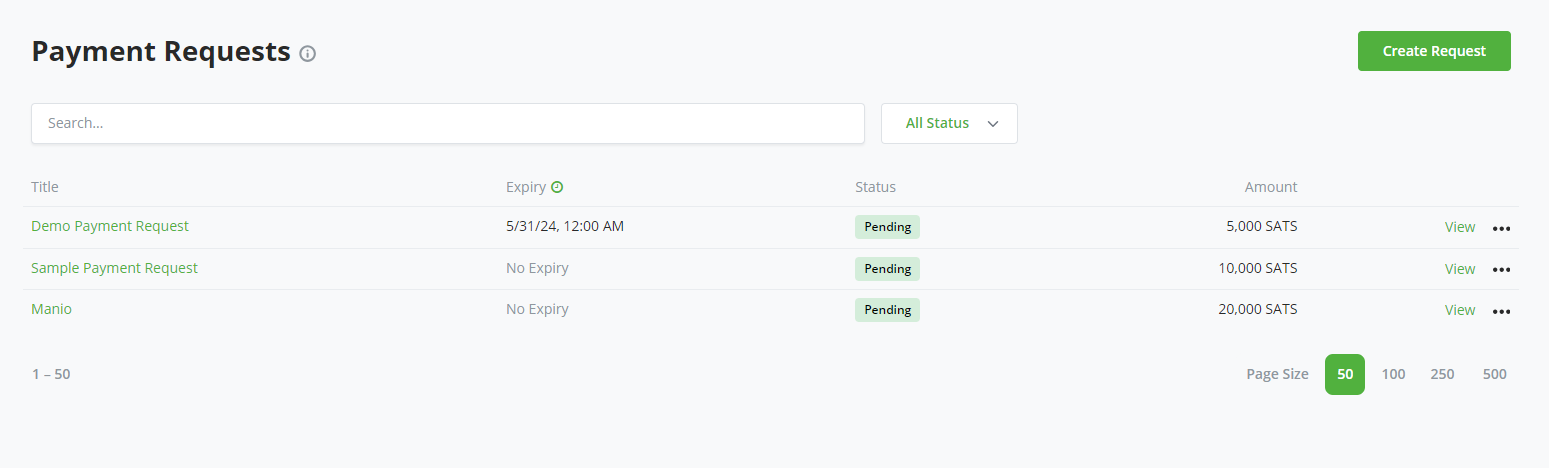
+
+Configure the request:
+
+- **Title** identifies the request to the customer and in the store.
+- **Amount** and **Currency** define the total requested amount.
+- **Allow payee to create invoices with custom amounts** lets the customer make
+ partial payments. Leave it disabled to require the full outstanding amount.
+- **Expiration Date** optionally limits how long the request remains payable.
+- **Email** identifies a recipient for payment-request email rules configured
+ by the store.
+- **Request customer data on checkout** collects selected customer details,
+ such as an email or shipping address.
+- **Memo** adds formatted instructions, context, links, or attachments to the
+ customer-facing page.
+
+
+
+Select **Create** to save and review the request.
+
+## Share and Receive Payment
+
+BTCPay Server creates a public URL for the request. Share that URL with the
+customer, or print the request when a paper record is needed. The page shows
+the amount due, expiration, memo, and payment history.
+
+
+
+When the customer selects **Pay Invoice**, BTCPay Server creates a regular
+invoice for the outstanding amount or, when custom amounts are enabled, the
+amount entered by the customer. Every attempt uses the exchange rate at that
+time and a fresh payment address.
+
+## Track and Manage Requests
+
+The payment request list shows each request's status, amount, and expiration.
+Use its action menu to inspect generated invoices, clone a request, or archive
+it.
+
+
+
+The request page updates its payment history and remaining balance as payments
+settle. A partially paid request remains payable for the outstanding amount. It
+becomes **Settled** when the full requested amount has been received.
+
+
+
+Invoices created through this flow are labeled as payment-request invoices in
+the store's invoice list. You can print the request or export its invoice data
+for accounting and record keeping.
### docs/users/pull-payments.md
@@ -0,0 +1,105 @@
+# Pull Payments
+
+**Watch the pull payments overview video:**
+
+[](https://www.youtube.com/watch?v=-e8lPd9NtPs)
+
+A pull payment lets a store authorize a recipient to claim up to a specified
+amount. Instead of the store asking for a destination and immediately pushing
+funds, it shares a link where the recipient chooses when, how much, and where
+to receive the money.
+
+Pull payments are useful for refunds, contractor or freelancer payments,
+withdrawal balances, grants, patronage, and other cases where the recipient
+should provide the payout destination. Creating a pull payment does not reserve
+or transfer funds. Each claim creates a payout that the store must approve, if
+needed, and pay from a compatible wallet or payment source.
+
+## How It Works
+
+1. The store creates a pull payment with a claim limit and allowed payout
+ methods.
+2. The store shares the pull payment URL with the recipient.
+3. The recipient enters an amount and destination, then submits a claim.
+4. BTCPay Server creates a payout and reduces the amount still available to
+ claim.
+5. The store approves the payout unless claims are configured for automatic
+ approval.
+6. The store sends the approved payout. Multiple payouts can be selected and
+ processed together.
+
+Approval and payment are separate steps. Automatic approval does not
+automatically send funds.
+
+## Create a Pull Payment
+
+Open **Pull Payments** for the selected store and select **Create Pull
+Payment**.
+
+
+
+Configure the pull payment:
+
+- **Name** identifies it to the store and recipient.
+- **Amount** and **Currency** set the total claim limit.
+- **Automatically approve claims** moves submitted claims directly to the
+ awaiting-payment state. Leave it disabled when each claim should be reviewed.
+- **Payout Methods** determine which destinations the recipient may use, such
+ as on-chain Bitcoin or Lightning.
+- **Description** provides instructions or context on the public claim page.
+- **Minimum acceptable expiration time for BOLT11** rejects Lightning invoices
+ that expire too soon for the payout to be processed.
+
+
+
+After creating the pull payment, open **View** and share its public URL with the
+recipient.
+
+## Submit a Claim
+
+The recipient opens the shared page, selects an allowed payout method, enters a
+destination and amount, and selects **Claim Funds**. The page shows the claim
+limit, amounts already claimed, remaining amount, and claim statuses.
+
+
+
+A submitted claim becomes a payout. Unless automatic approval is enabled, its
+status remains **Awaiting Approval** until the store reviews it.
+
+
+
+Treat the claim link as sensitive. Anyone who has it may submit a claim against
+the available limit, although the store can reject an unapproved payout.
+
+## Approve and Pay Payouts
+
+BTCPay Server notifies the store when a payout awaits approval. Open
+**Payouts**, select the claims to process, and choose an action:
+
+- **Approve selected payouts** fixes their amounts and moves them to awaiting
+ payment without sending funds.
+- **Approve & Send selected payouts** approves them and starts the payment flow.
+- **Cancel selected payouts** rejects them.
+
+
+
+For a fiat-denominated pull payment, approval converts the claim using the
+store's current exchange rate. That rate remains fixed if the payout is paid
+later. Review the destination, amount, exchange rate, and network fee before
+signing or sending.
+
+
+
+## Refunds
+
+Refunds use the same pull-payment flow. From a paid invoice, the store creates a
+refund and shares its claim link with the customer. The customer supplies a
+destination, and BTCPay Server creates a payout for the store to approve and
+send. This avoids asking the customer to send a destination through email or
+reusing the address from the original payment.
+
+## API Automation
+
+The Greenfield API exposes pull payments and payouts for integrations that need
+to create claim links, submit claims, or process payouts programmatically. See
+the target instance's `/docs` or the [hosted API reference](https://docs.btcpayserver.org/API/Greenfield/v1/) for current operations and permission requirements.Why this scored 15/100
Community notes
Notes can correct, qualify, or add evidence to the AI analysis. Every note shown here has been validated by a human moderator.
The AI analysis stands alone for now. Submit a note if you can add evidence or important context.